
Table of Contents
- Why Does Stremio Keep Buffering?
- How Much Internet Speed Does Stremio Need?
- Buffering at the Start vs Buffering Mid-Stream
- Fix 1: Choose a Stream With More Seeders
- Fix 2: Pick a Smaller File or Lower Quality
- Fix 3: Use a Debrid Service
- Fix 4: Set the Torrent Profile to Ultra Fast
- Fix 5: Increase the Cache Size
- Fix 6: Test Your Internet and Your Debrid Speed
- Fix 7: Switch to Ethernet or 5 GHz Wi-Fi
- Fix 8: Toggle Hardware-Accelerated Decoding
- Fix 9: Avoid Dolby Vision Profile 7 and REMUX on Sticks
- Fix 10: Change Your DNS
- Fix 11: Use a VPN Carefully
- Fix 12: Update Stremio or Try an External Player
- Bonus Fix: Restart Everything Once
- Stremio Buffering With Debrid: Extra Fixes
- When It's Time to Upgrade Your Device
- Common Myths About Stremio Buffering
- Best Torrentio Settings to Prevent Stremio Buffering
- Stremio Buffering on Different Devices
- Buffering or Torrentio Down?
- Stremio Buffering Checklist
- Conclusion
- FAQs
Nothing ruins a movie night like a spinning wheel. Stremio buffering is the most common complaint from Torrentio users, and the frustrating part is that it can have many causes: the stream itself, your internet, your Wi-Fi, your device or even your settings. The good news is that most buffering can be fixed in a few minutes once you know where to look.
This guide explains why Stremio buffers and walks through 12 proven fixes, from picking a better Torrentio stream to changing Stremio's streaming settings, choosing the right file size for your device, using debrid and fixing slow Wi-Fi. Work through them in order and you'll usually solve the problem within the first few steps.
Quick fix: Pick a stream with more seeders or a cached debrid stream, choose 1080p instead of 4K, and avoid huge REMUX files. Without debrid, set Stremio's torrent profile to Ultra Fast and raise the cache size. If it still buffers, test your internet speed and switch your device to Ethernet or 5 GHz Wi-Fi.
Why Does Stremio Keep Buffering?
Stremio doesn't host any videos. Its help centre article on buffering explains that buffering usually means the add-on isn't providing a good source, because all content comes from add-ons like Torrentio. In practice, Stremio buffering comes from one of these causes:
| Cause | What happens | Typical fix |
|---|---|---|
| Few seeders | The torrent downloads slower than it plays | Pick a stream with more seeders |
| Huge file | 4K REMUX needs very high bandwidth | Choose 1080p or a smaller file |
| Slow internet or Wi-Fi | Data can't arrive fast enough | Ethernet, 5 GHz or a lower quality |
| Weak device | Can't decode HEVC, HDR or Dolby Vision | Lower quality or a stronger device |
| Streaming settings | Small cache or slow torrent profile | Ultra Fast profile, bigger cache |
| ISP throttling or blocking | Connections are slowed or refused | Change DNS or use debrid |
If you're new to the add-on, read what Torrentio is and how it works to understand where streams come from.
How Much Internet Speed Does Stremio Need?
Use this as a rough guide to avoid Stremio buffering. Real needs vary with the file's bitrate, so a large REMUX needs far more than a compact web release of the same resolution.
| Quality | Typical file size (movie) | Comfortable speed |
|---|---|---|
| 720p | 1GB to 2GB | 5 to 10 Mbps |
| 1080p web release | 2GB to 6GB | 10 to 20 Mbps |
| 1080p BluRay | 8GB to 15GB | 20 to 30 Mbps |
| 4K web release | 10GB to 25GB | 25 to 40 Mbps |
| 4K REMUX | 40GB to 80GB | 80 Mbps or more |
Free torrent streams also need enough seeders to deliver that speed. Debrid removes the seeder limit but not your own connection's limit.
Buffering at the Start vs Buffering Mid-Stream
When the wheel spins tells you a lot. A short delay before a torrent starts is normal: Stremio has to connect to peers and download the first pieces. If Stremio buffering only happens for the first 10 to 30 seconds, a debrid service or a stream with more seeders will shorten it.
Stalls in the middle of a film are different. They mean data is arriving slower than the video plays, usually because of weak Wi-Fi, a busy network, too few seeders or a file that's too large. If the picture freezes while the audio continues, the device may be struggling to decode the format, so try hardware decoding and a smaller file.
Fix 1: Choose a Stream With More Seeders
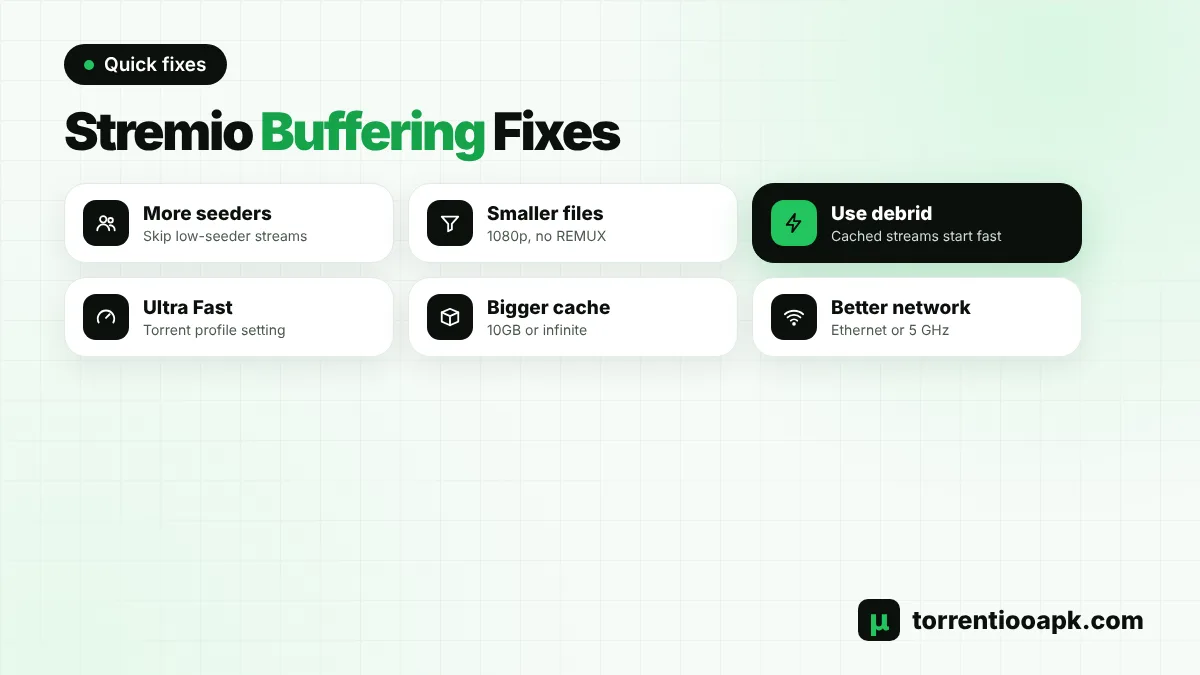
For free peer-to-peer streams, seeders are everything. A stream with 5 seeders will often buffer, while one with 200 usually plays smoothly. In Torrentio's stream list, the seeder count appears next to the people icon. Scroll past the first result if it has few seeders and pick a popular release instead.
Our guide on how to use Torrentio explains every icon and tag in the stream list.
Fix 2: Pick a Smaller File or Lower Quality
A 60GB 4K REMUX needs a very fast, steady connection. A 2GB to 4GB 1080p web release looks great on most TVs and is far easier to stream. If you see Stremio buffering on big files only, the file size is the problem, not Stremio.
Viren070's popular Stremio guide makes the same point: even with plenty of seeders, torrents of extremely high-quality content can still buffer, and a weaker device may not keep up with large files at all.
Fix 3: Use a Debrid Service
A debrid service is the biggest single fix for Stremio buffering on free streams. Cached files, marked [RD+] or [TB+] in Torrentio, stream from fast servers over a normal HTTPS connection instead of from other users. As the same guide notes, debrid lets you stream without buffering as long as your own connection can handle the file, but it can't make your internet faster.
Compare services in our guide to the best debrid for Stremio, then follow our Torrentio Real Debrid or Torrentio TorBox setup.
Fix 4: Set the Torrent Profile to Ultra Fast
If you stream torrents without debrid, Stremio's streaming settings make a real difference. Viren070's setup guide recommends setting the torrent profile to Ultra Fast, which lets Stremio use more connections to download pieces quickly.
- Open Settings in Stremio and find the streaming server section.
- Set Torrent profile to Ultra Fast.
- Restart playback to apply the change.
These options appear only on devices that run Stremio's streaming server, such as Android, Android TV and desktop apps. If you use debrid only, you can leave them alone.
Fix 5: Increase the Cache Size
The cache is where Stremio stores downloaded pieces ahead of playback. A tiny cache means Stremio can't build a buffer. The same guide recommends a cache size of 10GB or infinite for torrent streaming, if your device has the storage. On a Firestick with little free space, choose the largest size that still leaves room for the system.
Clearing the cache occasionally also helps when the device's storage is nearly full, which can slow everything down.
Fix 6: Test Your Internet and Your Debrid Speed
Before blaming Stremio, test your connection on the device you watch on. A 1080p stream usually needs a steady 10 to 20 Mbps, and 4K often needs 25 Mbps or more. If you use debrid and your general speed looks fine, many debrid providers offer a speed test on their website, which checks the link between you and their servers specifically.
If your speed is much lower in the evening, your network or provider may be congested. Lower the quality during busy hours.
Fix 7: Switch to Ethernet or 5 GHz Wi-Fi
Wi-Fi is the hidden cause of a lot of Stremio buffering. Walls, distance and neighbours' networks all cut speed. Try these in order:
- Use an Ethernet cable or adapter if the device is near the router.
- Connect to the 5 GHz band instead of 2.4 GHz.
- Move the router or the streaming device closer together.
- Restart the router to clear congestion.
- Pause large downloads on other devices while you watch.
Fix 8: Toggle Hardware-Accelerated Decoding
Sometimes the stream arrives fine, but the device can't decode it fast enough, which looks like buffering or stuttering. Viren070's Stremio troubleshooting guide suggests trying hardware-accelerated decoding both on and off in Stremio's advanced player settings and keeping whichever plays better. Turning it on is generally recommended because it can also prevent crashes.
Fix 9: Avoid Dolby Vision Profile 7 and REMUX on Sticks
Large UHD Blu-ray REMUX files often use Dolby Vision Profile 7, a dual-layer format that many streaming devices can't handle properly. In Stremio's public bug tracker, users of Fire TV, Android TV and Apple TV devices reported freezes, buffering and odd colours with these files. On a TV stick, exclude Dolby Vision and BluRay REMUX in your Torrentio settings. Our Torrentio best settings guide shows exactly where.
Fix 10: Change Your DNS
Stremio's help centre says changing your DNS might help a lot with buffering. Some internet providers slow down or block certain connections through their default DNS. Switching your router or device to a public DNS service can fix slow loading and some "no streams" errors. Viren070's guide also suggests a VPN or a DNS change when a provider blocks add-ons.
Fix 11: Use a VPN Carefully
A VPN can help if your provider throttles torrent traffic, but it can also cause Stremio buffering by adding distance and overhead. Choose a server close to you, and test with the VPN on and off. If you use a one-IP debrid service like Real-Debrid, avoid switching VPN servers often. Our is Torrentio safe guide covers the privacy side.
Fix 12: Update Stremio or Try an External Player
Old app versions can have playback bugs that are already fixed. Update Stremio from its official source, then restart the device. On Android, you can also try an external player such as VLC or Just Player for problem files; one user in Stremio's bug tracker reported better results with Just Player on difficult files, though subtitles needed enabling manually.
Bonus Fix: Restart Everything Once
It sounds too simple, but a full restart clears a surprising amount of Stremio buffering. Close Stremio completely, restart the TV stick or phone, and power-cycle the router by unplugging it for 30 seconds. This clears memory leaks, stuck downloads in the streaming server and congested router connections. If buffering returns after a few hours of use, the device may be running low on memory, which is another sign that smaller files or a stronger device would help.
Stremio Buffering With Debrid: Extra Fixes
If you already use debrid and still see Stremio buffering, check these points:
- Pick a cached stream: only results marked with a plus, such as [RD+] or [TB+], start instantly. Uncached ones must download first.
- Check your plan: an expired plan quietly turns cached results into slow or failing streams.
- Follow the IP rules: Real-Debrid allows one IP at a time; streaming from two networks can cause errors.
- Try another cached file: since May 2026, Real-Debrid blocks some files, which can look like a stream that never starts.
- Run the provider's speed test: it shows whether the route to the debrid servers is slow.
If one service is consistently slow from your location, testing a second one, such as TorBox, can fix it.
When It's Time to Upgrade Your Device
Sometimes the device is the bottleneck. Older or budget sticks have limited memory and weaker processors, which struggle with HEVC, HDR and very high bitrates. If small 1080p files play perfectly but anything larger stutters, even on a fast wired connection, your device is likely at its limit. A newer 4K stick or a Google TV device can end Stremio buffering on demanding files, and it costs less than many monthly subscriptions.
Common Myths About Stremio Buffering
- "More add-ons make streams faster." They don't. Extra add-ons add loading time and duplicates.
- "A VPN always speeds things up." Only if your provider throttles torrents. Otherwise it usually adds delay.
- "4K is always the best choice." Not on a slow connection or a weak device, where 1080p looks better because it plays smoothly.
- "Reinstalling Torrentio fixes buffering." Rarely. Torrentio only provides the stream list; playback depends on the stream, network and device.
Best Torrentio Settings to Prevent Stremio Buffering
Most buffering can be prevented before you even press play. These Torrentio settings keep problem files out of your list:
| Setting | Without debrid | With debrid |
|---|---|---|
| Sorting | Quality then seeders | Quality then size |
| Size limit | 8GB,2GB on Wi-Fi | Empty or 30GB,6GB |
| Exclude | 4K, BluRay REMUX, Dolby Vision on sticks | BluRay REMUX on sticks |
| Max results | 5 to 10 | 5 to 10 |
Set these once on the configure page and they follow your account to every device.
Stremio Buffering on Different Devices
- Firestick: limited storage and Wi-Fi make smaller files and debrid especially helpful. See our Torrentio Firestick guide.
- Android TV: use Ethernet where possible and the Ultra Fast torrent profile. See our Torrentio Android TV guide.
- Samsung and LG TVs: some newer Samsung models have had debrid streams that spin endlessly; our Stremio Samsung TV guide lists the network fixes users found.
- iPhone and browsers: Stremio Web supports fewer formats, so pick 1080p H.264 files. See our Torrentio iPhone guide.
- Chromecast: casting adds another step, so smaller files help. See our Stremio Chromecast guide.
Buffering or Torrentio Down?
If nothing loads at all, rather than loading slowly, the issue may not be Stremio buffering. When every title shows no Torrentio streams or the add-on fails to respond, the Torrentio server may be busy or down. Check our Torrentio down guide for a quick status test before changing your settings.
Stremio Buffering Checklist
- The stream has plenty of seeders, or it's a cached debrid result.
- The file size suits your internet speed and device.
- Torrent profile is Ultra Fast and the cache is large, if you stream torrents.
- The device uses Ethernet or 5 GHz Wi-Fi.
- Hardware-accelerated decoding has been tested on and off.
- Dolby Vision and REMUX are excluded on TV sticks.
- Stremio is up to date.
Conclusion
Stremio buffering almost always comes down to the stream, the network or the device. Start with the easy wins: choose a stream with more seeders or a cached debrid result, and pick a sensible 1080p file. Then tune Stremio itself with the Ultra Fast torrent profile and a bigger cache, move to Ethernet or 5 GHz Wi-Fi, and test hardware decoding. Exclude REMUX and Dolby Vision on sticks, and consider a debrid service if you watch every day.
For more setup help, see our guide on how to install Torrentio on Stremio, or return to the Torrentio APK home page.
FAQs
Why does Stremio keep buffering?
Usually because the stream has few seeders, the file is too large for your connection, your Wi-Fi is weak, or your device can't decode the format. Stremio's help centre says buffering often means the add-on's source isn't good enough.
Does Real-Debrid stop Stremio buffering?
It helps a lot for cached streams, which play from fast servers instead of other users. Debrid can't make your internet faster, though, so very large files can still buffer on a slow connection.
What is the best torrent profile in Stremio?
For torrent streaming without debrid, set the torrent profile to Ultra Fast and use a large cache, such as 10GB or infinite, if your device has the space.
Why does 4K buffer in Stremio but 1080p doesn't?
4K files, especially REMUX releases, need much more bandwidth and processing power. Choose a 1080p release, or use debrid and a fast wired connection for 4K.
Can a VPN cause Stremio buffering?
Yes. A distant VPN server adds delay and overhead. Use a nearby server, and test with the VPN on and off to see which plays better.
Why does Stremio buffer on my Firestick?
Firesticks have limited storage and often use Wi-Fi. Pick smaller files, exclude REMUX and Dolby Vision, use 5 GHz Wi-Fi or Ethernet, and add a debrid service.