
Table of Contents
- What You Need Before You Install Torrentio
- How to Install Torrentio on Stremio in 5 Steps
- How to Install Torrentio on Stremio Without the Install Button
- Best Torrentio Configure Settings (Recommended Setup)
- How to Install Torrentio on Stremio on Android
- How to Install Torrentio on Stremio on Firestick and Fire TV
- How to Install Torrentio on Stremio on Android TV and Google TV
- How to Install Torrentio on Stremio on Windows, Mac and Linux
- How to Install Torrentio on Stremio on iPhone and iPad
- How to Install Torrentio on Stremio on Samsung, LG and Other Smart TVs
- How to Install Torrentio on Stremio on Other Devices
- Common Mistakes When You Install Torrentio
- How to Add Real-Debrid or TorBox to Torrentio
- How to Check That Torrentio Is Installed Correctly
- How to Update or Change Torrentio Settings
- How to Uninstall Torrentio From Stremio
- Tips for Better Streams After You Install Torrentio
- Torrentio Installation Problems and Quick Fixes
- Is It Safe to Install Torrentio on Stremio?
- Conclusion
- FAQs
Want to know how to install Torrentio on Stremio the right way? You're in the right place. Stremio on its own only shows movie posters and details, and Torrentio is the add-on that fills it with playable streams. The whole setup takes about two minutes, even if you have never installed an add-on before.
This guide shows how to install Torrentio on Stremio on Android, Firestick, Android TV, Windows, Mac, iPhone and smart TVs. You'll also get the best configure settings and simple steps to connect Real-Debrid or TorBox for faster, buffer-free playback.
Quick steps: Install Stremio and sign in › open torrentio.strem.fun/configure › choose your settings › tap Install › tap Install again inside Stremio. Done.
What You Need Before You Install Torrentio
Get these ready first and the install will go smoothly on every device:
- The Stremio app from the official Stremio downloads page, or Stremio Web in your browser.
- A free Stremio account. Add-ons are saved to your account and sync to every device where you sign in. This is the easiest way to set up TVs and Firesticks.
- A web browser on your phone or computer to open the Torrentio configure page.
- A debrid account (optional) such as Real-Debrid, TorBox, AllDebrid or Premiumize if you want faster cached streams.
- A stable internet connection, ideally 10 Mbps or faster for HD video.
How to Install Torrentio on Stremio in 5 Steps
These steps are the same on every device. Device-specific tips follow further down.
Step 1: Install Stremio and Sign In
Download Stremio from the official website or your device's app store, open it and sign in or create a free account.
Step 2: Open the Torrentio Configure Page
In your browser, go to the official Torrentio configure page. This is the only official setup page for the add-on.
Step 3: Choose Your Settings
Pick your providers, sorting, priority language, resolutions to exclude and an optional debrid service. The best settings are explained in the next section.
Step 4: Tap Install
Tap the Install button at the bottom of the page. Your browser asks to open Stremio, so allow it. If nothing happens, tap Copy Link instead.
Step 5: Confirm Inside Stremio
Stremio opens the Torrentio add-on card. Tap Install. If you copied the link, open Add-ons in Stremio, paste it into the search bar and tap Install.
To test it, search for any movie, open it and scroll to the stream list. You'll see links labelled "Torrentio" with quality, size and seeders. That's how to install Torrentio on Stremio in its simplest form.
How to Install Torrentio on Stremio Without the Install Button
Sometimes the Install button does nothing, especially on TVs, work computers or browsers that block app links. In that case, use the manual method with the add-on link:
- Open Stremio and go to Add-ons.
- Click the search bar at the top of the Add-ons screen.
- Paste your personal link from the configure page, or type the default link
https://torrentio.strem.fun/manifest.json. - Press Enter, then select Install on the Torrentio card that appears.
The default link installs Torrentio with standard settings and no debrid. You can personalise it later from the gear icon.
Best Torrentio Configure Settings (Recommended Setup)
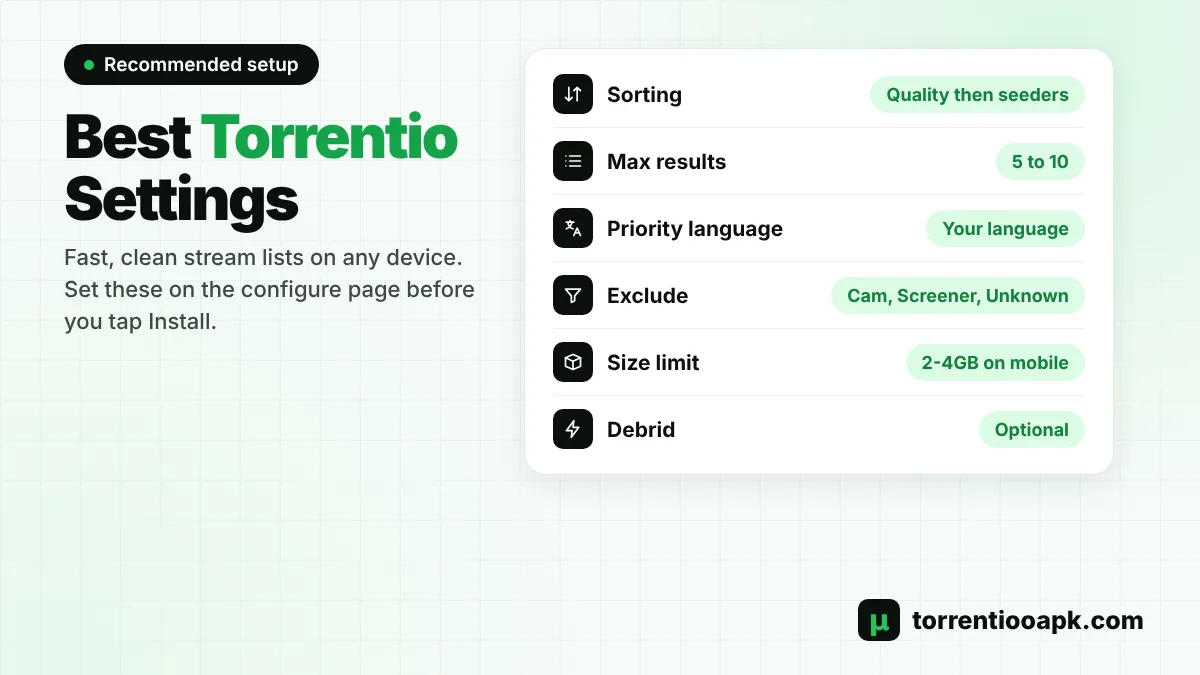
The configure page has many options, and the right choices make streams load faster and play better. Here's what each setting does and what we recommend for most people:
| Setting | What it does | Recommended |
|---|---|---|
| Providers | Choose from 25 sources, including international, anime and regional indexes | Keep the main international ones; add regional providers only for that language |
| Sorting | Quality then seeders, quality then size, seeders, or size | By quality then seeders |
| Max results per quality | Limits how many links show for each resolution | 5 to 10 for a clean list |
| Priority language | Moves streams in your language to the top (41 languages) | Your language, for example Hindi, Spanish or Arabic |
| Exclude resolutions | Hides qualities such as 4k, 480p, Screener or Cam | Exclude Cam, Screener and Unknown; also 4k on phones |
| Video size limit | Hides files bigger than a size you type, such as 2GB | 2GB to 4GB on mobile; leave empty on TV |
| Debrid provider | RealDebrid, Premiumize, AllDebrid, DebridLink, EasyDebrid, Offcloud, TorBox, Put.io or HighWay | Optional, choose your paid service |
When you pick a debrid service, two extra boxes appear. "Don't show download to debrid links" hides files that aren't cached yet, so you only see instant streams. "Don't show debrid catalog" removes the extra catalog row from your Stremio home screen.
How to Install Torrentio on Stremio on Android
Here's how to install Torrentio on Stremio on Android phones and tablets. The process is quick, because the browser opens the Stremio app directly.
- Install Stremio. If you can't find it on Google Play in your country, download the official APK from stremio.com › Downloads › Mobile › Android, then allow your browser to install unknown apps.
- Open Stremio and sign in.
- Open Chrome and go to the Torrentio configure page.
- Choose your settings and tap Install.
- When Android asks which app to use, choose Stremio, then tap Install on the add-on card.
Want the Torrentio APK on your phone too? Get it from our Torrentio APK download page.
How to Install Torrentio on Stremio on Firestick and Fire TV
Here's how to install Torrentio on Stremio on a Firestick the smart way. Typing long links with a Fire TV remote is slow, so use account sync:
- On your Firestick, open Find › Search, type "Stremio" and install it from the Amazon Appstore.
- Open Stremio and sign in with your Stremio account.
- On your phone or computer, sign in to the same account in Stremio or Stremio Web.
- Install Torrentio there using the 5 steps above.
- Back on the Firestick, close and reopen Stremio. Torrentio now appears under Add-ons.
If Stremio isn't in the Appstore in your region, install the free Downloader app, enable "Install unknown apps" for it under Settings › My Fire TV › Developer Options, and download the Android TV version from the official Stremio website.
How to Install Torrentio on Stremio on Android TV and Google TV
Sony, TCL, Hisense, Philips and other Android TV or Google TV models use the same method as the Firestick, so learning how to install Torrentio on Stremio here is just as easy. Install Stremio from the Play Store on your TV, or sideload the official Android TV APK from the Stremio website. Sign in, then add Torrentio from your phone or computer using the same account. The add-on syncs to the TV within seconds.
You can also add it directly on the TV. Open Add-ons, select the search bar, type torrentio.strem.fun/manifest.json with the remote and press Install. This installs the default settings, which you can change later.
How to Install Torrentio on Stremio on Windows, Mac and Linux
On a computer, learning how to install Torrentio on Stremio takes under a minute:
- Download Stremio for Windows, macOS or Linux from the official downloads page and install it.
- Open Stremio and sign in.
- Open the Torrentio configure page in Chrome, Edge, Firefox or Safari.
- Choose your settings and click Install. When the browser asks "Open Stremio?", click Open.
- Click Install in Stremio.
If the browser doesn't open the app, click Copy Link, go to Add-ons in Stremio, paste the link into the search box at the top and press Install.
How to Install Torrentio on Stremio on iPhone and iPad
Apple devices work a little differently. In most countries there is no full Stremio app in the App Store, so the official option is Stremio Web, which runs in Safari. The full app is available through AltStore PAL in Europe, Brazil and Japan.
- Open Safari and go to web.stremio.com, then sign in.
- In a new tab, open the Torrentio configure page and choose your settings.
- Tap Copy Link.
- Go back to Stremio Web, open Add-ons, paste the link into the search bar and tap Install.
Browsers can't play every video format, so some streams may not open on an iPhone. Streams in MP4 format and cached debrid links usually work best.
How to Install Torrentio on Stremio on Samsung, LG and Other Smart TVs
The official Stremio website lists apps for Samsung, LG, Sony, Philips and Hisense TVs, plus Apple TV. Install Stremio from your TV's app store and sign in. Then install Torrentio from your phone or computer with the same account, and it will appear on the TV automatically. This is the easiest way to install Torrentio on Stremio on any TV.
How to Install Torrentio on Stremio on Other Devices
Stremio also runs on the Steam Deck, Meta Quest and PICO VR headsets and the Raspberry Pi. On all of them, the account sync method is the easiest way to install Torrentio on Stremio: sign in on the device, add Torrentio from your phone or computer, then reopen the app. This avoids typing long links with a controller or a VR keyboard.
Common Mistakes When You Install Torrentio
Most failed installs come from the same few mistakes. Avoid these and you'll get it right the first time:
- Using a fake configure page. Copycat sites can steal your debrid key. Only use torrentio.strem.fun.
- Using Stremio as a guest. Guest mode doesn't sync add-ons, so your TV never gets Torrentio.
- Keeping old copies. Several Torrentio add-ons with different settings slow down the stream list.
- Adding too many filters. Excluding most resolutions leaves you with empty results.
If you remember these points, knowing how to install Torrentio on Stremio on a new phone or TV becomes a two-minute job.
How to Add Real-Debrid or TorBox to Torrentio
A debrid service downloads files to its own fast servers and streams them to you, so videos start quickly and buffer far less. Here's how to connect one:
Step 1: Get a Debrid Plan
Sign up for Real-Debrid, TorBox, AllDebrid, Premiumize or another supported service and activate a plan.
Step 2: Copy Your API Key
For Real-Debrid, open real-debrid.com/apitoken while logged in. TorBox and other services show the key in your account settings.
Step 3: Paste It on the Configure Page
Choose your service under Debrid Provider and paste the key into the box that appears.
Step 4: Reinstall Torrentio
Uninstall the old Torrentio from Stremio first, then tap Install on the configure page and confirm in Stremio.
Cached Real-Debrid links are marked [RD+] and play instantly. Never share your personal Torrentio link with anyone, because it contains your API key.
How to Check That Torrentio Is Installed Correctly
After you install Torrentio on Stremio, run this 30-second check:
- Open Add-ons › Installed and confirm Torrentio is listed once.
- Search a popular movie and open its page.
- Look for streams that start with "Torrentio" or, with debrid, "[RD+] Torrentio".
- Tap a stream with high seeders or a cached debrid tag and make sure it plays.
If the stream list is empty, recheck your filters and debrid key before installing again.
How to Update or Change Torrentio Settings
Once you know how to install Torrentio on Stremio, changing settings later is easy too. Stremio doesn't update your settings automatically. To change them, open Add-ons › Installed, find Torrentio and tap the gear icon to open the configure page. Make your changes and tap Install again. If you see two Torrentio add-ons afterwards, uninstall the older one so you don't get duplicate results.
How to Uninstall Torrentio From Stremio
To remove the add-on, open Add-ons › Installed, select Torrentio and tap Uninstall. Because add-ons sync to your account, it disappears from all your devices. You can reinstall it at any time with the same 5 steps.
Tips for Better Streams After You Install Torrentio
A correct install is only half the job. These habits give you smoother playback every day:
- Pick streams with more seeders. Without debrid, seeders decide speed. A link with hundreds of seeders starts much faster than one with five.
- Match quality to your internet. 4K needs a fast connection of around 25 Mbps or more. On slower Wi-Fi, choose 1080p or 720p.
- Use a wired connection on TVs when possible, or keep the router close to your Firestick.
- Keep Stremio updated, because new versions fix playback bugs and add codec support.
- Keep one backup add-on installed for the times Torrentio is busy.
Torrentio Installation Problems and Quick Fixes
Problem: Install Button Doesn't Open Stremio
Solution
- Tap Copy Link on the configure page.
- Paste it into the Add-ons search bar in Stremio and tap Install.
Problem: Torrentio Installed but No Streams
Solution
- Remove strict filters and check your debrid key.
- Check if the server is offline with our Torrentio down status guide.
Problem: Add-on Missing on the TV
Solution
- Sign in with the same Stremio account on all devices.
- Close and reopen Stremio to force a sync.
Problem: Duplicate Torrentio Results
Solution
- Open Add-ons › Installed and keep only one Torrentio.
If Torrentio still won't work for you, try one of the best Torrentio alternatives as a backup.
Is It Safe to Install Torrentio on Stremio?
Stremio and Torrentio are software tools. Torrentio only searches for links and doesn't host any videos itself. Download Stremio only from its official website or app stores, use the official configure page, and keep your debrid API key private. Laws on streaming differ by country, so watch only content you have the right to view. You can read more about features and safety on our Torrentio APK home page.
Conclusion
Now you know how to install Torrentio on Stremio on every major device. Install Stremio, open the configure page, choose your settings and tap Install twice. Use account sync for Firestick and smart TVs, Stremio Web on iPhone, and add a debrid service if you want instant, buffer-free streams. Bookmark this guide so you can quickly reinstall or update Torrentio whenever you set up a new device.
FAQs
Can I install Torrentio on Stremio Web?
Yes. Open web.stremio.com and sign in, copy your link from the Torrentio configure page, then paste it into the Add-ons search bar and tap Install. The add-on is saved to your account and also appears in the Stremio apps.
Do I need Real-Debrid to install Torrentio?
No. Torrentio works without any debrid service. Real-Debrid, TorBox and similar services are optional paid upgrades that make cached streams start faster and buffer less.
How do I add Torrentio to Stremio on Firestick without typing?
Install Stremio on the Firestick and sign in. Then install Torrentio from your phone or computer using the same Stremio account. The add-on syncs to the Firestick automatically after you reopen the app.
How long does it take to install Torrentio?
Learning how to install Torrentio on Stremio takes about two minutes. Most of that time is choosing your settings on the configure page. The install itself takes two taps: Install on the website and Install inside Stremio.
Why doesn't the Torrentio Install button open Stremio?
This happens when Stremio isn't installed, or your browser blocks app links. Tap Copy Link instead, open Add-ons in Stremio, paste the link into the search bar and tap Install.
Do I have to reinstall Torrentio after changing settings?
Yes. Each set of settings creates a new add-on link, so tap Install again after making changes and remove the old Torrentio from your installed add-ons to avoid duplicates.