
Table of Contents
- Is There a Stremio Samsung TV App?
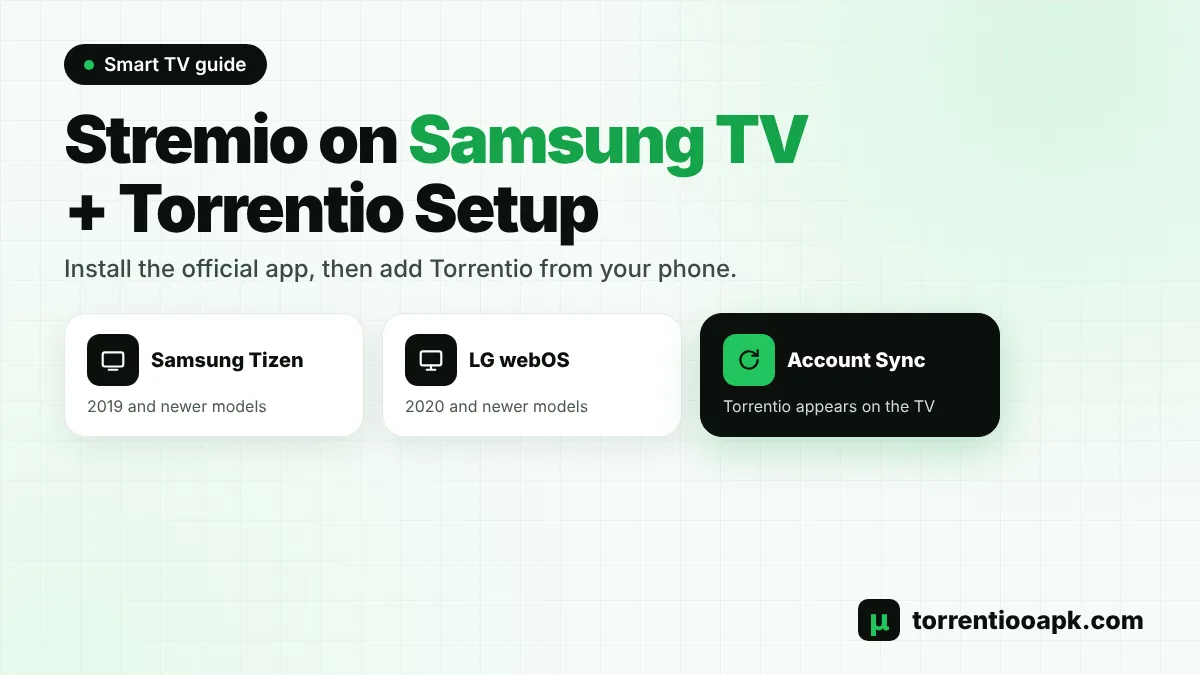
- Which Samsung and LG TVs Support Stremio?
- How to Install the Stremio Samsung TV App
- How to Add Torrentio to Stremio on a Samsung TV
- Best Torrentio Settings for a Stremio Samsung TV
- Stremio on LG TV: How It Differs
- Do You Need Debrid on a Samsung TV?
- Stremio Samsung TV Not Working? Common Fixes
- Can You Use Stremio Web in the Samsung TV Browser?
- How to Update or Reinstall the Stremio Samsung TV App
- Subtitles on the Stremio Samsung TV App
- Samsung TV App vs TV Stick: Which Is Better?
- Tips for the Best Stremio Experience on Samsung TV
- Is It Safe to Use Stremio on a Samsung TV?
- Conclusion
- FAQs
Want to watch Torrentio on the big screen without buying a TV stick? The official Stremio Samsung TV app makes it possible. Stremio is available in the Samsung app store for newer Tizen TVs, and an LG version exists for webOS. Once it's installed, you can add Torrentio from your phone in about a minute and start streaming with the TV remote.
This guide shows which Samsung and LG models are supported, how to install the Stremio Samsung TV app step by step, the easiest way to add Torrentio, the best settings for a TV, and fixes for the most common problems, from streams that won't start to missing sound.
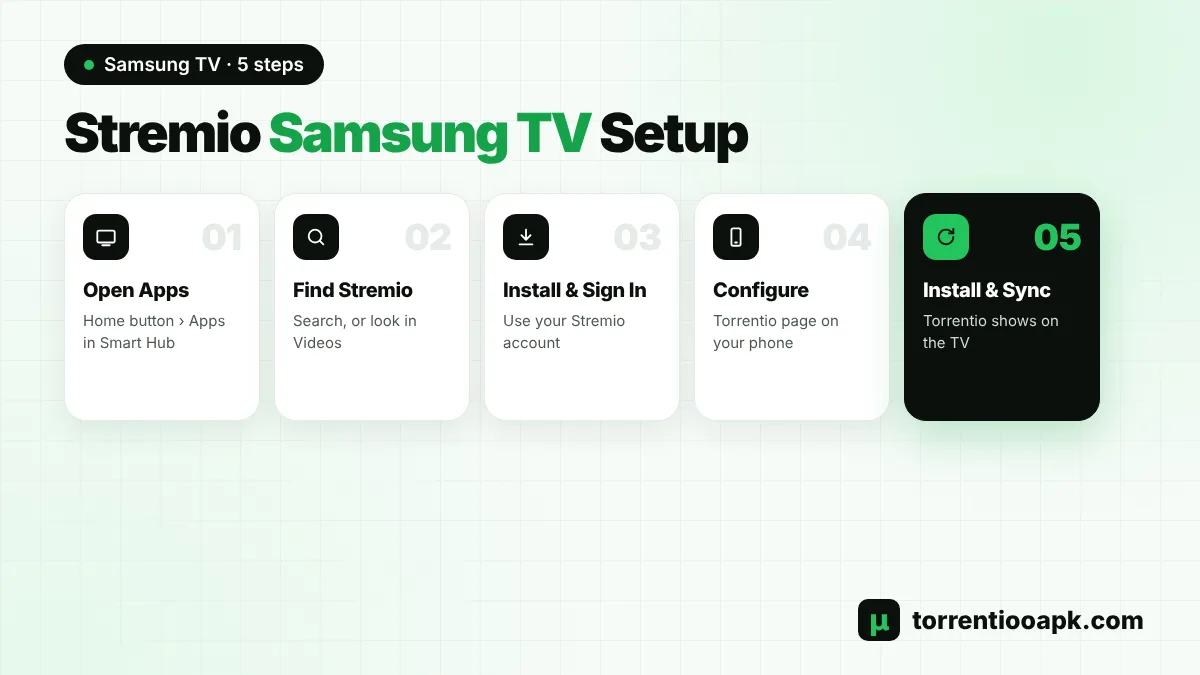
Quick steps: Open Apps on your Samsung TV › search for Stremio › install it › sign in › on your phone, open the Torrentio configure page while logged in to the same Stremio account › tap Install. Torrentio syncs to the TV automatically. The app supports Samsung TVs from 2019 onwards.
Is There a Stremio Samsung TV App?
Yes. Stremio announced its Samsung TV app in late 2023, and it's listed in the Samsung app store (Smart Hub) on Tizen TVs. The official Stremio blog says the app supports Samsung TVs from 2019 onwards, after 2019 and 2020 models were added following the first launch. Stremio also says it has no plans to support older Samsung models.
Because Samsung TVs run Tizen, not Android, you can't sideload the Android APK the way you can on a Firestick or Google TV. The Stremio Samsung TV app is the only native option, and it's free. It works like Stremio on other devices: you sign in, your library and add-ons sync from your account, and Torrentio shows streams on every title page.
New to the setup? Read what Torrentio is and how it works before you start.
Which Samsung and LG TVs Support Stremio?
Support depends on the TV's year and operating system. Here's a quick overview based on Stremio's own announcements:
| TV brand | System | Supported models | Where to get Stremio |
|---|---|---|---|
| Samsung | Tizen | 2019 and newer | Samsung app store (Apps) |
| LG | webOS | 2020 and newer | LG Content Store |
| Sony, TCL, Philips and others | Android TV or Google TV | Android TV 5.0 and newer | Google Play or official APK |
| Older Samsung or LG | Tizen or webOS | Not supported | Use a TV stick instead |
To check your Samsung model year, open Settings › Support › About This TV. If your TV is too old for the Stremio Samsung TV app, a cheap Fire TV Stick or Google TV device plugged into an HDMI port gives you the full Stremio experience. See our Torrentio Firestick guide or Torrentio Android TV guide.
How to Install the Stremio Samsung TV App
Installing Stremio on a supported Samsung TV takes a few minutes. You'll need a free Stremio account, which you can create on the TV or on your phone first.
Step 1: Open Apps
Press the Home button on your remote and select Apps from the Smart Hub menu.
Step 2: Search for Stremio
Select the search icon and type Stremio. If it doesn't appear in search, look in the Videos category, because new apps can show there first.
Step 3: Install the App
Select the official Stremio app and choose Install. Add it to the Home screen if you like.
Step 4: Sign In
Open Stremio and log in with your account, or create one. Signing in is what lets your add-ons sync to the TV.
Step 5: Check the Add-ons Page
Open Add-ons to see which add-ons are already on your account. Anything you installed on another device appears here.
Stremio notes that the app can take time to appear in every country. If you still can't find it, check your TV's region and model year, and install any pending TV software updates.
How to Add Torrentio to Stremio on a Samsung TV
Typing long links with a TV remote is slow, so the smartest method uses your phone or computer. Stremio syncs add-ons through your account, so anything you install on your phone shows up on the TV.
Step 1: Log In on Your Phone
Install Stremio on your phone, or open Stremio Web, and sign in with the same account you use on the TV.
Step 2: Open the Configure Page
In your phone's browser, go to the official Torrentio configure page.
Step 3: Choose TV-Friendly Settings
Pick your providers, sorting and filters. We share the best options for a Samsung TV in the next section.
Step 4: Install
Tap Install, then confirm in Stremio. If the button doesn't open the app, tap Copy Link and paste it into the Add-ons search bar.
Step 5: Refresh the TV
Close and reopen Stremio on the TV. Torrentio now appears under Add-ons and in the stream list of every title.
No phone nearby? You can paste the add-on link directly on the TV. Open Add-ons, select the search bar and type torrentio.strem.fun/manifest.json, then install it. This gives you the default settings. Our Torrentio addon link guide lists every official link. For more detail on the phone side, see how to install Torrentio on Stremio.
Best Torrentio Settings for a Stremio Samsung TV
TVs are great for 4K, but they're fussier about formats than a computer. These settings keep the Stremio Samsung TV stream list clean and avoid files your TV can't play:
- Exclude Dolby Vision: Samsung TVs use HDR10 and HDR10+ instead of Dolby Vision, so Dolby Vision files can show wrong colours. Tick Dolby Vision in Exclude Resolutions.
- Exclude Cam, Screener and Unknown: these are low-quality copies that look bad on a big screen.
- Limit results: set 5 to 10 results per quality so the list is easy to scroll with a remote.
- Size limit without debrid: try 8GB,2GB on Wi-Fi so large files don't buffer.
- Sort by quality then seeders: or quality then size if you use debrid.
Your settings live in your personal add-on link, so set them up once on your phone and they apply to the TV too. For every option explained, see our Torrentio best settings guide.
Stremio on LG TV: How It Differs
LG owners can follow almost the same steps. According to the Stremio blog, the webOS app is available for LG TVs from 2020 onwards. Stremio says it isn't available on LG TVs in the Middle East, North Africa and Ukraine.
Step 1: Open the LG Content Store
Press Home and open the LG Content Store (Apps).
Step 2: Find Stremio
Search for Stremio. If it doesn't show in search, browse the Entertainment category.
Step 3: Install and Sign In
Install the app, log in, and add Torrentio from your phone exactly as described above.
Some LG owners report issues with Dolby Vision files, so the same advice applies: exclude Dolby Vision in Torrentio unless you know your TV handles it well.
Do You Need Debrid on a Samsung TV?
No. Free peer-to-peer Torrentio streams can play in the Stremio Samsung TV app. Users report that the first torrent connection can take a little longer to start, while later ones load faster. Speed still depends on seeders and your home internet.
A debrid service makes a TV setup much smoother. Cached streams start in seconds, 4K becomes realistic, and your TV doesn't join the torrent swarm. Add your debrid key on the configure page from your phone, and the TV uses it automatically. Compare the options in our guide to the best debrid for Stremio, or follow the Torrentio Real Debrid and Torrentio TorBox setup guides.
Stremio Samsung TV Not Working? Common Fixes
Most Stremio Samsung TV problems come down to the network, the file format or the add-on sync. Try these fixes in order.
Torrentio Doesn't Appear on the TV
Make sure the TV and your phone use the same Stremio account. Then sign out of Stremio on the TV and sign in again to refresh your add-ons. If it's still missing, install Torrentio again from the configure page.
Debrid Streams Spin and Never Start
Some owners of newer Samsung models running Tizen 8 and 9 have reported debrid streams that keep loading while torrent streams play. This has been discussed in Stremio's public bug tracker. Users fixed it in different ways, including turning off IPv6 on the router, changing the DNS server on the modem, or switching between 2.4 GHz and 5 GHz Wi-Fi. Update the TV software and the Stremio app first, then try these network changes one at a time.
No Sound on Some Streams
Many Samsung TVs can't decode every audio format, such as DTS. If a stream plays with no sound, choose a release with AC3 (Dolby Digital), EAC3 or AAC audio. The audio format is usually in the file name.
Strange Colours or a Green Picture
This usually means a Dolby Vision file. Pick a release marked HDR, HDR10 or SDR instead, and exclude Dolby Vision in your Torrentio settings.
The App Feels Slow
Stremio recommends opening the app's settings, choosing Interface, setting the theme to Default and turning Animations off. This makes menus faster on older TVs.
No Streams at All
If every title shows no Torrentio results, the problem may be the add-on server, not your TV. Check our Torrentio down guide for a quick status test.
Can You Use Stremio Web in the Samsung TV Browser?
Yes, as a backup. Samsung TVs have a built-in Internet browser, and you can open web.stremio.com in it and sign in. Some owners in Stremio's bug tracker said debrid links played in the browser when the Stremio Samsung TV app had trouble. The browser version is slower and harder to control with a remote, though, so treat it as a temporary fix rather than your main setup.
Browsers also support fewer video formats than apps. If you use Stremio Web on the TV, prefer 1080p files with common audio, and skip very large 4K releases.
How to Update or Reinstall the Stremio Samsung TV App
Samsung TVs can update apps automatically. Keep auto-update switched on in the Apps settings so you always have the latest Stremio Samsung TV version with its bug fixes. If the app starts crashing or freezing, a clean reinstall often helps:
Step 1: Open App Settings
Go to Apps and select the settings (gear) icon. Menu names vary a little by model year.
Step 2: Remove Stremio
Select Stremio and choose Delete, or Reinstall if your TV offers it.
Step 3: Install Again
Search for Stremio, install it and sign in. Your add-ons, including Torrentio, come back from your account.
Subtitles on the Stremio Samsung TV App
Subtitles in Stremio come from subtitle add-ons and from some video files. During playback, open the subtitle menu in the player and pick a language. If the timing is off, try another subtitle file or another release of the same title, because subtitles are matched to specific versions. The January 2025 update to the Stremio Samsung TV app fixed the default subtitle selection and added missing languages, so keep the app up to date.
Samsung TV App vs TV Stick: Which Is Better?
The Stremio Samsung TV app is free and needs no extra hardware, which makes it the easiest choice if your TV is supported. A streaming stick is still worth considering in some cases.
| Feature | Stremio Samsung TV app | Fire TV or Google TV stick |
|---|---|---|
| Extra cost | None | Cost of the stick |
| Older TVs | 2019+ Samsung, 2020+ LG only | Any TV with HDMI |
| Install method | Samsung or LG app store | App store or official APK |
| Format support | Depends on the TV | Depends on the stick |
| App updates | Through the TV store | Store or manual |
If your Samsung TV is from 2019 or later, start with the built-in app. If it's older, or the app struggles with the formats you watch, a stick is a cheap upgrade.
Tips for the Best Stremio Experience on Samsung TV
- Use a wired Ethernet connection if your TV is near the router. It's more stable than Wi-Fi for 4K.
- Install the free Samsung SmartThings app on your phone to use it as a remote and keyboard.
- Keep the Stremio Samsung TV app updated. Version 1.6.0 in January 2025 added next-episode prompts, library filters and gamepad support.
- Use Continue Watching to pick up where you left off, even if you started on your phone.
- Learn how to read the stream list so you pick a good file the first time. Our guide on how to use Torrentio explains every tag.
Is It Safe to Use Stremio on a Samsung TV?
The Stremio Samsung TV app comes from the official Samsung app store, so it's as safe as any other TV app. Torrentio itself installs nothing on your TV, because it's a web add-on that only sends Stremio a list of links. Free peer-to-peer streams share your IP address with other users, and laws on streaming copyrighted content differ by country, so only watch content you have the right to access. A debrid service avoids the peer-to-peer part entirely.
Conclusion
Setting up a Stremio Samsung TV is simple: install Stremio from the Samsung app store, sign in, then add Torrentio from your phone so it syncs to the TV. Exclude Dolby Vision, keep the result list short, and add a debrid service if you want instant 4K playback. LG owners with a 2020 or newer TV can use the same steps through the LG Content Store.
If your TV is too old for the app, a Firestick or Google TV stick gives you the same Torrentio experience. For the full picture, return to the Torrentio APK home page.
FAQs
Is Stremio available on Samsung TV?
Yes. Stremio has an official app in the Samsung app store for Tizen TVs. Stremio says it supports Samsung TVs from 2019 onwards and has no plans to support older models.
How do I add Torrentio to Stremio on my Samsung TV?
Sign in to the same Stremio account on your phone, open the Torrentio configure page and tap Install. Torrentio syncs to the TV automatically. You can also paste torrentio.strem.fun/manifest.json into the Add-ons search bar on the TV.
Why is Stremio not in my Samsung TV app store?
Your TV may be older than 2019, or the app may not be listed in your region yet. Check the Videos category as well as search, and update your TV software.
Does Torrentio work on Samsung TV without debrid?
Yes. Free peer-to-peer Torrentio streams can play in the Samsung app, though the first stream may take longer to start. A debrid service gives faster, more reliable playback.
Can I install the Stremio APK on a Samsung TV?
No. Samsung TVs run Tizen, not Android, so APK files can't be installed. Use the Stremio app from the Samsung app store, or plug in a Fire TV or Google TV stick.
Is Stremio available on LG TV?
Yes. Stremio's webOS app is available for LG TVs from 2020 onwards in the LG Content Store, except in a few regions such as the Middle East, North Africa and Ukraine.