
Table of Contents
- Is Torrentio Down Right Now?
- How to Check If Torrentio Is Down (4 Quick Methods)
- Why Is Torrentio Down? 6 Common Causes
- How Long Does Torrentio Down Time Usually Last?
- Torrentio Down or Debrid Down? How to Tell the Difference
- Torrentio Not Working? 9 Proven Fixes
- Torrentio Down on Firestick, Android TV and Phones: Device Tips
- Torrentio Not Showing Up on Stremio? Here's Why
- Torrentio Error Messages Explained
- How to Avoid Torrentio Down Problems in the Future
- Is Torrentio Shutting Down?
- Quick Torrentio Down Checklist
- Final Words
- FAQs
Is Torrentio down, or is something wrong with your own setup? When Torrentio is down, Stremio suddenly shows no streams, the add-on keeps loading, or your Real-Debrid links stop playing. The good news: you can find out in less than a minute whether the Torrentio server is offline or the problem is on your device, debrid account or network.
In this guide you'll learn how to check Torrentio status, why the add-on goes down, and 9 proven fixes that bring your streams back. Every step works on Android, Firestick, Android TV, Windows, Mac, iPhone and smart TVs.
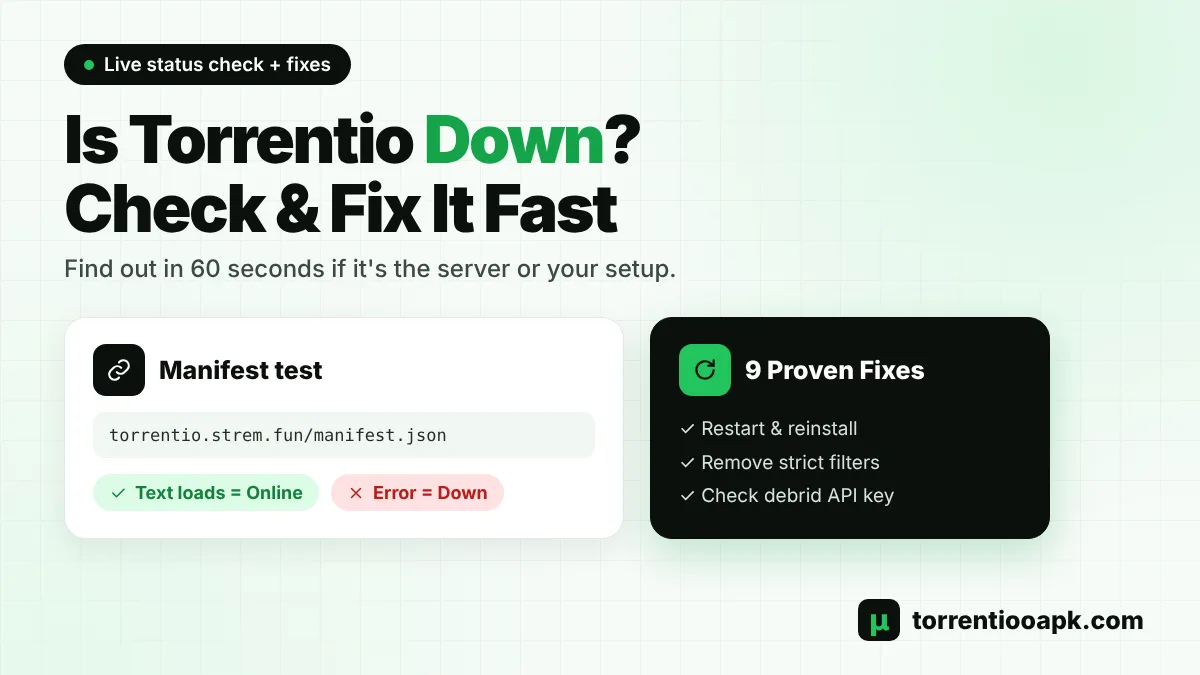
Quick answer: Torrentio has no official status page. Open https://torrentio.strem.fun/manifest.json in your browser. If you see a block of text that starts with {"id":"com.stremio.torrentio.addon", the server is up and the issue is on your side. If the page times out or shows an error, you have a real Torrentio down outage that affects everyone.
Is Torrentio Down Right Now?
Torrentio is a free community add-on. It is not made or run by Stremio, and thousands of people use the same public server at the same time. Because of that, it can slow down or go offline for a few minutes, and sometimes for a few hours.
When we checked on 24 October 2026, Torrentio version 0.0.15 was online and answering normally. If streams are missing for you right now, use the four checks below. They tell you in seconds whether it's a Torrentio down problem or only your setup needs a fix.
How to Check If Torrentio Is Down (4 Quick Methods)
You don't need any special tool. A browser and the Stremio app are enough.
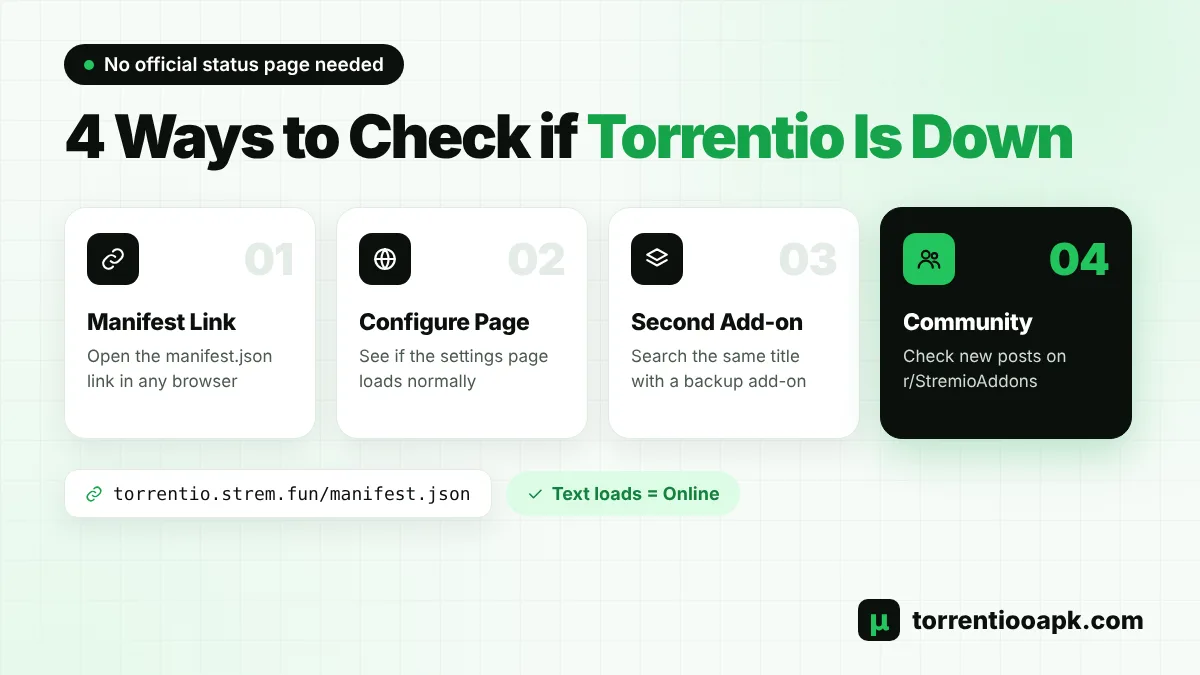
1. Open the Torrentio Manifest Link
This is the most reliable test, because it asks the Torrentio server directly.
- Open Chrome, Safari or any browser.
- Go to
torrentio.strem.fun/manifest.json. - If a page of plain text loads within a few seconds, Torrentio is working.
- If the page keeps loading, shows "502 Bad Gateway", "503" or "This site can't be reached", Torrentio down is confirmed and the server is having trouble.
2. Open the Torrentio Configure Page
Visit the official Torrentio configure page. If you can see the list of providers, sorting options and the Install button, the website is up. If the configure page loads but Stremio still shows nothing, the fault is usually in your filters, debrid key or app.
3. Compare With a Second Add-on
Search the same movie in Stremio with another stream add-on installed. If the other add-on shows links and Torrentio does not, Torrentio down is the likely reason. If both add-ons show nothing, the problem is your internet, your Stremio app or your debrid account.
4. Check Community Reports
Outages are reported within minutes on Reddit communities such as r/StremioAddons. Sort posts by "New" and look for posts about Torrentio down today. Website checkers can also help, but they only test the website, not your streams.
What Your Test Result Means
| What you see | What it means | What to do |
|---|---|---|
| Manifest loads and streams show in Stremio | Everything works | Nothing, enjoy your stream |
| Manifest loads, but no streams in Stremio | Problem on your side | Follow Fix 1 to Fix 8 below |
| Manifest times out or shows 5xx error | Torrentio down for everyone | Wait or use a backup add-on |
| "Access denied" or blocked page | Your IP or ISP is blocked | Change network or DNS (Fix 6) |
| All add-ons show no streams | Stremio or internet issue | Restart and update Stremio |
Why Is Torrentio Down? 6 Common Causes
Most outages come from a handful of reasons. Knowing them helps you pick the right fix instead of guessing.
- Server overload: Torrentio runs on one shared public server. During big releases or weekends, heavy traffic can slow it down or make it stop answering.
- Rate limits: To protect the server, Torrentio may temporarily refuse an IP address that sends too many requests. Shared VPN and data center IPs are hit more often.
- Maintenance and updates: The developer updates scrapers and the database from time to time, which can cause short downtime.
- Source problems: Torrentio collects links from many torrent indexes. When some of them go offline, you get fewer results even though Torrentio itself is up.
- Debrid service issues: If Real-Debrid, TorBox, AllDebrid or Premiumize has an outage, or your plan has expired, debrid streams stop working.
- Old app or old add-on link: An outdated Stremio version or a Torrentio link with old settings can cause errors that look like Torrentio down.
How Long Does Torrentio Down Time Usually Last?
Most Torrentio down periods are short. Overload and rate-limit problems often clear up within a few minutes to a couple of hours, once traffic drops. Maintenance can take longer, but outages that last a full day or more are rare.
The best approach is simple: wait 15 to 30 minutes, run the manifest test again, and keep a backup add-on ready in the meantime. Reinstalling Torrentio again and again during a server outage won't help and can even get your IP rate-limited for longer.
Torrentio Down or Debrid Down? How to Tell the Difference
Many users blame Torrentio when the real problem is their debrid service. Here's a quick way to tell them apart:
- Run the manifest test. If it loads, the Torrentio server is fine.
- Uninstall your debrid version of Torrentio and install the free version with Debrid Provider set to "None".
- If streams appear now, Torrentio is working and your debrid account or key is the problem.
- Log in to your debrid website and check your plan, your API token and any service notices. TorBox, for example, has a public status page at status.torbox.app.
This test takes two minutes and saves a lot of guessing during a Torrentio down scare.
Torrentio Not Working? 9 Proven Fixes
If the manifest test shows Torrentio is online but you still get nothing, work through these fixes in order. Most people are streaming again after the first three.
Fix 1: Restart Stremio and Your Device
Close Stremio completely. On a PC, also close the Stremio icon in the system tray so its streaming server restarts. On Firestick or Android TV, go to Settings › Applications › Manage Installed Applications › Stremio › Force Stop. Then restart the device and open Stremio again.
Fix 2: Reinstall Torrentio From the Configure Page
A broken or outdated install is a very common cause. In Stremio, open Add-ons › Installed, uninstall Torrentio, then open the configure page, pick your settings again and tap Install. Our step-by-step guide on how to install Torrentio on Stremio covers every device.
Fix 3: Remove Strict Filters
Filters you set months ago can hide almost every result. Check these settings on the configure page:
- Exclude resolutions: If you excluded 1080p, 720p and "Unknown" together, many titles will show no links.
- Video size limit: A low limit such as 1GB hides most HD movies. Clear the box or raise the limit.
- Max results per quality: A very small number shows fewer links. Leave it empty to see all results.
Fix 4: Check Your Debrid Account and API Key
Log in to your debrid website and confirm your plan is active. If you reset your API token, the old key inside Torrentio stops working, so copy the new key and reinstall the add-on. Real-Debrid also allows streaming from only one IP address at a time, so using it on two networks together can block playback.
With Real-Debrid, links marked [RD+] are already cached and play instantly, while [RD download] links still need to be downloaded to the debrid server first. If only download links appear, choose another stream or wait a few minutes.
Fix 5: Try Torrentio Lite
Torrentio has a lighter version at torrentio.strem.fun/lite/manifest.json. It uses the main international providers and skips the regional ones, so it can answer faster when the full add-on is slow. Paste this link into the Stremio Add-ons search bar and tap Install. Keep in mind that Lite runs on the same server, so if Torrentio is fully down, Lite will be down too.
Fix 6: Switch Your Network or DNS
Some internet providers block torrent-related websites. Test the manifest link on mobile data. If it works there but not on Wi-Fi, your provider is blocking it. Changing your router or device DNS to Cloudflare (1.1.1.1) or Google (8.8.8.8) often helps. A VPN can protect your privacy where it is legal, but it cannot fix a real server outage.
Fix 7: Update Stremio and Clear Its Cache
Download the latest version from the official Stremio downloads page. On Android, Firestick and Android TV, open Settings › Apps › Stremio › Storage and tap Clear cache. Don't tap "Clear data" unless you are ready to log in again.
Fix 8: Check the Title and Episode
Sometimes Torrentio is fine and the content simply isn't available yet. Brand-new movies and episodes that aired a few minutes ago may have no links. Search with the exact title and year, and open the correct season. Torrentio supports IMDb and Kitsu IDs, so anime should be opened from a catalog that uses those IDs.
Fix 9: Use a Backup Add-on
If Torrentio down is confirmed, the fastest way to keep watching is a second add-on. Comet, MediaFusion and TorrentsDB work in a similar way and support the same debrid services. See our full list of the best Torrentio alternatives for Stremio to pick one.
Torrentio Down on Firestick, Android TV and Phones: Device Tips
The checks above work everywhere, but each device has its own quick tricks when Torrentio down issues appear:
- Firestick and Fire TV: Fire TV devices have little storage. Clear the Stremio cache, keep at least 1GB free, and restart the stick from Settings › My Fire TV › Restart.
- Android TV and Google TV: Force stop Stremio, clear its cache and check that your TV's date and time are correct. A wrong clock can break secure connections.
- Android phones: Turn off battery saver for Stremio, then test on mobile data to rule out Wi-Fi blocks.
- Windows and Mac: Fully quit Stremio, including the tray or menu bar icon, so the local streaming server restarts with the app.
- iPhone and iPad: Stremio Web runs inside Safari, so close and reopen the tab, then sign in again if your add-ons don't load.
Torrentio Not Showing Up on Stremio? Here's Why
Sometimes the add-on isn't down at all, it is simply missing from the app. This usually happens for one of these reasons:
- You installed Torrentio while logged in to a different Stremio account.
- You are using Stremio as a guest, so your add-ons don't sync between devices.
- The add-on was removed after an app reset or "Clear data".
- Your TV app hasn't synced yet. Log out and log in again to refresh it.
To fix it, open Add-ons › Installed. If Torrentio isn't in the list, install it again while logged in to the same account on every device.
Torrentio Error Messages Explained
| Error or symptom | Meaning | Fix |
|---|---|---|
| No streams found | No links match your filters, or the server is busy | Remove filters, retry in a few minutes |
| Stream list keeps loading | Torrentio is slow or down | Run the manifest test, use a backup |
| [RD download] link plays a "downloading" video | The file isn't cached on your debrid yet | Pick an [RD+] stream or wait |
| Bad HTTP status | Stremio couldn't reach the stream link | Restart Stremio, change network |
| Video starts, then buffers | Low seeders or slow internet | Pick more seeders, lower quality, use debrid |
How to Avoid Torrentio Down Problems in the Future
You can't control the Torrentio server, but you can make outages hurt much less:
- Keep one backup stream add-on installed at all times.
- Bookmark the manifest link for a quick status check.
- Keep your debrid plan active and save your API key in a safe place.
- Never share your personal Torrentio link, because it contains your debrid API key.
- Update Stremio whenever a new version is released.
Is Torrentio Shutting Down?
No. There is no official announcement that Torrentio is closing. A short Torrentio down period is normal for a free public add-on and doesn't mean the service has ended. As of October 2026 the add-on is active, and you can always confirm its status with the manifest test above.
Torrentio itself only finds links and doesn't host any video. Use it responsibly and stream only content you have the right to watch. Read more about the add-on, its features and debrid support on our Torrentio APK home page, or get the latest app from the Torrentio APK download page.
Quick Torrentio Down Checklist
Save this short checklist for the next time streams disappear. It covers every step in this guide in the right order:
- Open the manifest link to see if it's a real Torrentio down outage.
- Search the same title with a second add-on.
- Restart Stremio and your device.
- Reinstall Torrentio with fresh settings and fewer filters.
- Check your debrid plan and API key.
- Try mobile data or a new DNS to rule out blocks.
- If Torrentio down is confirmed, switch to a backup add-on and try again later.
Final Words
When you see Torrentio down warnings, don't reinstall everything in a panic. First open the manifest link to see if the server is online. If it is, restart Stremio, reinstall the add-on, remove strict filters and check your debrid key. If the server is truly offline, wait a little or switch to a backup add-on until Torrentio is back. With these 9 fixes you'll spend less time troubleshooting and more time watching.
FAQs
Is Torrentio down today?
Open torrentio.strem.fun/manifest.json in your browser. If a page of text loads, Torrentio is online and the problem is on your side. If it times out or shows an error, Torrentio is down for everyone, so wait a little or use a backup add-on.
Is Torrentio still active in 2026?
Yes. Torrentio is still active and was running version 0.0.15 in October 2026. Short outages happen from time to time, but there is no announcement that the add-on is shutting down.
Why am I blocked from Torrentio?
Torrentio may temporarily block IP addresses that send too many requests, including some shared VPN and data center IPs. Your internet provider can also block the site. Try mobile data, change your DNS or switch your VPN server.
Why is Stremio suddenly not working with Torrentio?
The most common reasons are a Torrentio outage, an expired debrid plan or API key, strict filters on the configure page, or an outdated Stremio app. Restart Stremio, reinstall Torrentio and check your debrid account.
Does a VPN fix Torrentio when it is down?
No. A VPN can help if your internet provider or your IP address is blocked, but it cannot fix a real server outage. When the Torrentio server is offline, you need to wait or use another add-on.
Is there an official Torrentio status page?
No, Torrentio does not have an official status page. The best way to check is to open the manifest link in a browser and look at recent posts on r/StremioAddons.