
Table of Contents
- What Is TorBox?
- How Torrentio and TorBox Work Together
- Why Use TorBox With Torrentio?
- TorBox Plans and Prices in 2026
- Which TorBox Plan Is Best for Torrentio?
- What You Need for a Torrentio TorBox Setup
- How to Set Up Torrentio TorBox (Step by Step)
- Best Torrentio Settings for TorBox
- [TB+] vs [TB download]: What the Tags Mean
- How to Check Your TorBox Account
- Torrentio TorBox for 4K and HDR
- TorBox vs Real-Debrid for Torrentio
- How to Switch From Real-Debrid to TorBox
- Torrentio TorBox and Usenet
- Does TorBox Have Its Own Stremio Add-on?
- Using TorBox on Multiple Devices
- Torrentio TorBox on Firestick and Android TV
- Torrentio TorBox Not Working? Quick Fixes
- Common Torrentio TorBox Mistakes
- Is TorBox Safe and Private?
- Torrentio TorBox Setup Checklist
- Conclusion
- FAQs
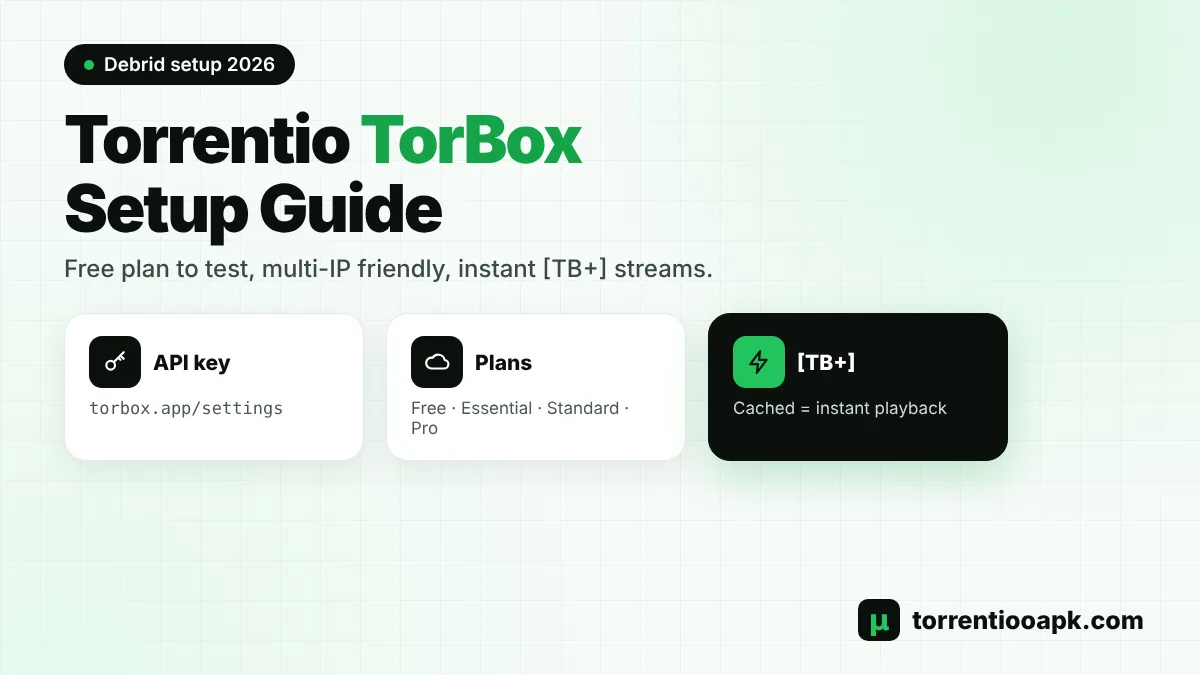
Thinking about a Torrentio TorBox setup? TorBox has become one of the most popular debrid services for Stremio, thanks to a free plan, low prices and a relaxed policy on using your account from more than one network. Paired with Torrentio, it turns slow peer-to-peer streams into fast, cached playback that starts in seconds.
This guide covers everything you need: what TorBox is, its plans and prices, which plan suits Torrentio, how to find your API key, the full setup on the configure page, what the [TB+] tags mean, how TorBox compares with Real-Debrid and how to fix common problems.
Quick setup: Create a TorBox account › choose a plan › copy your API key from torbox.app/settings › open the Torrentio configure page › pick TorBox in the Debrid Provider list › add the key › press Install. From then on, cached results carry a [TB+] label in Stremio.
What Is TorBox?
TorBox is a cloud debrid service. It fetches torrents onto its own high-speed servers and stores popular files, so you can play them over a normal HTTPS connection instead of joining the torrent swarm yourself. It also supports Usenet on its top plan and works with many Stremio add-ons, including Torrentio, Comet, MediaFusion and AIOStreams.
Compared with older debrid services, TorBox is known for a free tier, simple monthly plans and allowing your account to be used from several IP addresses within fair-use limits. That last point matters a lot if you watch at home and on your phone at the same time, or if different people in your household watch on different devices. TorBox also has a public status page, so you can quickly check whether a problem is on its side.
How Torrentio and TorBox Work Together
It helps to understand who does what in a Torrentio TorBox setup. Torrentio is the search engine: when you open a movie, it finds matching torrents from its providers. It then checks your TorBox account to see which of those files are already cached. Cached results get the [TB+] tag. When you press play, Stremio streams the file straight from TorBox's servers. Torrentio never hosts the video, and TorBox never searches for it. Each one does its own job, and together they give you a fast, clean stream list.
Why Use TorBox With Torrentio?
Free Torrentio streams work, but they depend on seeders and can buffer on TVs and slow Wi-Fi. A Torrentio TorBox setup gives you several advantages over free streaming:
- Instant playback: cached files marked [TB+] start almost immediately.
- Less buffering: streams come from fast servers, not from a handful of seeders.
- More privacy: your device doesn't upload torrent pieces or show its IP address to other peers.
- Multiple networks: TorBox allows use from more than one IP address, unlike Real-Debrid's one-IP rule.
- A free plan to test: you can try it before you pay.
TorBox Plans and Prices in 2026
TorBox offers four plans. These were the published monthly prices and limits at the time of writing:
| Plan | Price | Active download slots | Usenet |
|---|---|---|---|
| Free | $0 | 1 | No |
| Essential | About $3/month | 3 | No |
| Standard | About $5/month | 5 | No |
| Pro | About $10/month | 10 | Yes |
The free plan is limited, with a small number of downloads per month and a maximum file size of around 10GB, so it's best for testing. Active slots are only used when TorBox has to download something new. Already-cached files don't use a slot, so slots are not a limit on how many people can watch. Prices can change, so check the official TorBox website before you buy.
Which TorBox Plan Is Best for Torrentio?
The right plan depends on how much you watch and whether you need extras like Usenet. For most Stremio users, the Essential plan is enough. Torrentio mainly needs cached files, and those don't use download slots. Choose Standard if you often start several uncached downloads at once. Choose Pro if you want Usenet as an extra source for rare or older titles. The free plan is fine for a quick test of your Torrentio TorBox setup, but its monthly limits run out fast with regular viewing.
What You Need for a Torrentio TorBox Setup
- Stremio installed and signed in on at least one device.
- A TorBox account, free or paid.
- Your TorBox API key from the settings page.
- A phone or computer with a browser for the configure page.
That's all. A Torrentio TorBox setup doesn't need any extra apps or downloads on your device.
How to Set Up Torrentio TorBox (Step by Step)
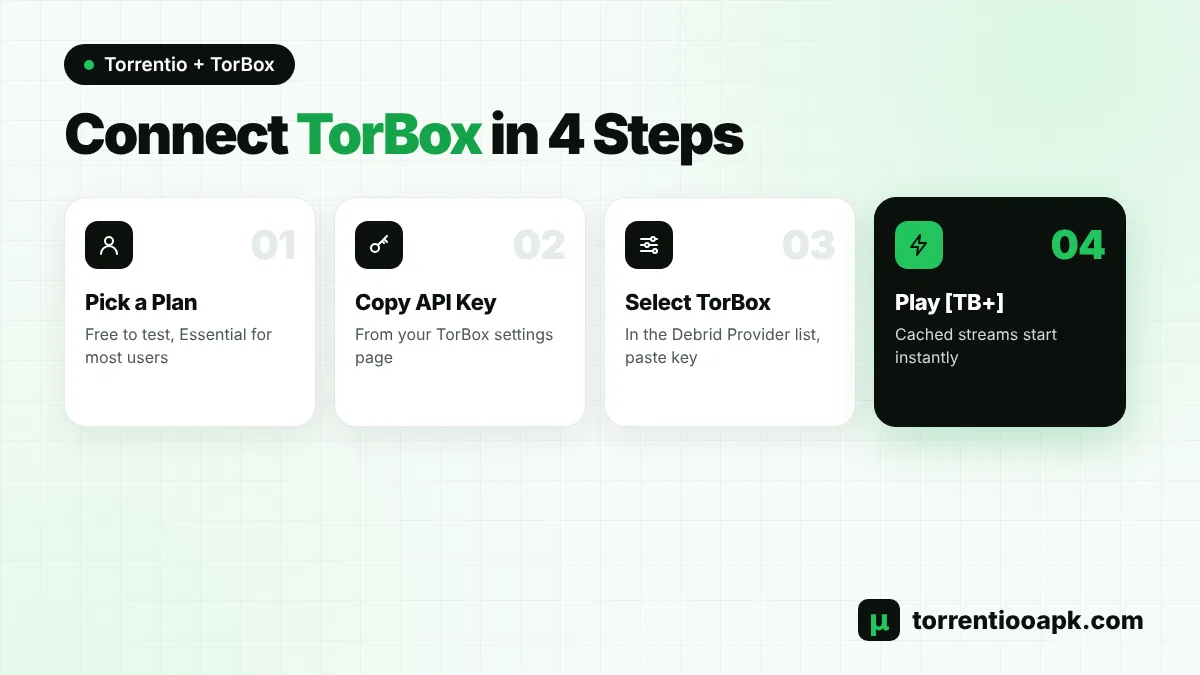
Allow around five minutes. A phone or laptop is the easiest place to do it, and the result carries over to your TV automatically through your Stremio login.
Step 1: Create a TorBox Account
Sign up on the TorBox website and confirm your email.
Step 2: Choose a Plan
Pick the free plan to test, or Essential for everyday use.
Step 3: Copy Your API Key
Open
torbox.app/settingswhile logged in and copy your API key. Keep it private, like a password, and never post it online.Step 4: Visit the Configure Page
Head to the official Torrentio configure page and set providers, sorting and filters.
Step 5: Select TorBox
Under Debrid Provider, choose TorBox and drop your key into the API Key field. The "Find API Key" shortcut next to it leads to the same TorBox page.
Step 6: Clear Out Old Copies
Inside Stremio, go to Add-ons › Installed and remove earlier Torrentio versions so results aren't doubled.
Step 7: Install and Test
Press Install, approve it in Stremio and open a well-known film. Streams marked [TB+] mean your Torrentio TorBox setup works.
Haven't installed the add-on yet? Our Torrentio installation walkthrough gets you started, then return here for the TorBox part.
Best Torrentio Settings for TorBox
A few settings work especially well with TorBox:
- Providers: select all, so Torrentio finds as many cached copies as possible.
- Sorting: by quality then size, since seeder counts barely affect cached playback.
- Exclude: Cam, Screener and Unknown. Keep 4k only if your TV supports it.
- Don't show download to debrid links: leave it unticked at first. TorBox's cache is smaller than some older services, so download links help with rarer titles.
- Don't show debrid catalog: tick it to keep your Stremio home screen clean.
Every option is explained in our Torrentio best settings guide.
[TB+] vs [TB download]: What the Tags Mean
| Tag | Meaning | What to do |
|---|---|---|
| [TB+] | The file is cached on TorBox | Tap it, playback starts almost instantly |
| [TB download] | Not stored on TorBox yet | Select it to queue the file on TorBox, then come back later |
When you tap a download link, TorBox starts fetching the file using one of your active slots, and Stremio may show a short "downloading" message. Popular files finish quickly, while rare or very large files can take longer, depending on how many people are seeding them. For the fastest experience, pick a [TB+] stream whenever one is available. Our guide on how to use Torrentio explains how to read the rest of the stream list.
How to Check Your TorBox Account
If something stops working, your TorBox dashboard is the first place to look. After logging in, you can see your current plan and its end date, your active downloads and how many slots are in use. If your plan has expired or the free plan's monthly limit is used up, your Torrentio TorBox streams will stop showing [TB+] tags until you renew or the limit resets.
Torrentio TorBox for 4K and HDR
4K and HDR files are large, often 15GB to 60GB, so they rarely stream well over free P2P. With a Torrentio TorBox setup, cached 4K files play from fast servers, which makes big-screen viewing much smoother. Keep 4k turned on in your settings if your TV supports it, sort by quality then size, and use a wired connection or fast Wi-Fi for the best results. Exclude Dolby Vision if your TV doesn't support it.
TorBox vs Real-Debrid for Torrentio
| Feature | TorBox | Real-Debrid |
|---|---|---|
| Starting price | Free plan, paid from about $3/month | €3 for 15 days |
| Free option | Yes, limited | No |
| Multiple IP addresses | Allowed within fair use | One IP at a time |
| Usenet | Pro plan | No |
| Cached library | Smaller, growing | Large, long-established |
| Torrentio tag | [TB+] | [RD+] |
If you watch on several networks, TorBox is the safer choice. If you mostly watch at home and want the biggest cache, Real-Debrid is still strong, especially on its cheaper long plans. Some people keep both and swap the Debrid Provider in Torrentio whenever a title is missing, which takes less than a minute on the configure page. Read our Torrentio Real Debrid guide to compare the setup.
How to Switch From Real-Debrid to TorBox
Moving from Real-Debrid to a Torrentio TorBox setup takes only a few minutes, and you don't lose anything in Stremio:
- Create your TorBox account and copy your API key.
- Open the Torrentio configure page, or use the gear icon on your installed Torrentio.
- Change the Debrid Provider from RealDebrid to TorBox and paste the new key.
- Tap Install, confirm in Stremio and uninstall the old Real-Debrid version.
- Open a movie and check for [TB+] streams instead of [RD+].
Nothing else changes: your library, history and remaining add-ons are untouched. You can switch back at any time the same way.
Torrentio TorBox and Usenet
TorBox's Pro plan includes Usenet, a separate network that can be fast for older or rarer titles. Torrentio itself searches torrents only, so Usenet results don't appear in Torrentio's list. To use TorBox's Usenet in Stremio, you need an add-on that supports it, such as an aggregator like AIOStreams. For most people, a standard Torrentio TorBox setup on the Essential plan is all they need.
Does TorBox Have Its Own Stremio Add-on?
TorBox used to offer its own Stremio add-on, but recent guides report that it no longer runs one. Today, the usual way to use TorBox in Stremio is through an add-on that supports it, such as Torrentio, Comet, MediaFusion or AIOStreams. Each one asks for your TorBox API key on its configure page. Many users run Torrentio TorBox as their main source and keep a second add-on as a backup. Our Torrentio vs Comet comparison explains how two of them work together.
Using TorBox on Multiple Devices
One of TorBox's biggest strengths is its flexible IP policy. You can watch on your TV at home and on your phone on mobile data without the lockouts that Real-Debrid's one-IP rule can cause. Fair-use limits still apply, and you should never share your account or API key outside your household. Because add-ons sync through your Stremio account, your Torrentio TorBox setup appears on every device as soon as you sign in. There's nothing extra to configure on each TV, phone or computer.
Torrentio TorBox on Firestick and Android TV
Configure TorBox from a phone or computer, and then restart Stremio on the television. Cached [TB+] streams are ideal for TVs and sticks, because they don't depend on seeders and they put less strain on small devices with limited memory. A few users have reported crashes on some older Fire OS versions in the past, so keep Fire OS and Stremio updated. See our Torrentio Firestick guide and Torrentio Android TV guide for device-specific tips.
Torrentio TorBox Not Working? Quick Fixes
Problem: No [TB+] Streams
Solution
- Check that your plan is active and the key is complete.
- Install the add-on again and delete any older copy.
Problem: Free Plan Stopped Working
Solution
- The monthly download limit may be used up. Upgrade or wait for the reset.
Problem: Streams Stopped After a Key Reset
Solution
- Paste the new API key on the configure page and reinstall Torrentio.
Problem: Downloads Are Slow
Solution
- Pick [TB+] streams instead of download links.
- Check the official TorBox status page for service notices.
If no add-on returns streams at all, the Torrentio server may be busy. Check it with our Torrentio down guide.
Common Torrentio TorBox Mistakes
- Keeping an old Torrentio installed: you get duplicate results, and one of them may still use an old key.
- Copying only part of the API key: a missing character means no [TB+] streams.
- Expecting the free plan to last all month: its download limit runs out quickly.
- Ticking "Don't show download to debrid links" too early: with a smaller cache, rare titles may show no results.
- Sharing your personal Torrentio link: it contains your TorBox key.
Is TorBox Safe and Private?
With a Torrentio TorBox setup, cached streams come from TorBox's servers over HTTPS, so your device doesn't join the torrent swarm. That's a big privacy step up from free P2P streaming. Keep your API key private, because your personal Torrentio link contains it, and only paste it on official configure pages. As always, use Torrentio only for content you have the right to watch. For more on privacy and the law, see is Torrentio safe.
Torrentio TorBox Setup Checklist
- Your TorBox plan is active.
- The full API key is copied from torbox.app/settings.
- The Debrid Provider list on the configure page is set to TorBox.
- Only one Torrentio is installed in Stremio.
- Filters aren't too strict, so cached files aren't hidden.
- [TB+] streams appear and play on a popular movie.
If every point is true, your Torrentio TorBox setup is complete.
Conclusion
A Torrentio TorBox setup is one of the easiest ways to get fast, buffer-free streams in Stremio. Pick a plan, usually Essential, copy your key from torbox.app/settings, choose TorBox on the configure page and tap Install. Look for [TB+] streams, enjoy TorBox's multi-device flexibility and keep a backup add-on for rare titles. Learn more about the add-on on our Torrentio APK home page.
FAQs
Can I use TorBox with Torrentio?
Yes. Open the Torrentio configure page, choose TorBox under Debrid Provider, paste your API key from torbox.app/settings and tap Install. Cached streams then show [TB+] in Stremio.
Where do I find my TorBox API key?
Log in to TorBox and open torbox.app/settings. Your API key is shown there. The Find API Key link on the Torrentio configure page opens the same page.
Which TorBox plan is best for Stremio?
The Essential plan is enough for most people, because cached files do not use download slots. Choose Pro if you also want Usenet for rare titles.
Is TorBox better than Real-Debrid for Torrentio?
TorBox is better if you watch on several networks or want a free plan, because it allows multiple IP addresses. Real-Debrid has a larger cache and is very cheap on long plans.
What does [TB+] mean in Torrentio?
[TB+] means the file is already cached on TorBox and will start almost instantly. [TB download] means TorBox still needs to download the file first.
Can I use the TorBox free plan with Torrentio?
Yes, but it has a small monthly download limit and a file size cap of about 10GB, so it is best for testing. A paid plan is better for regular use.