
Table of Contents
- Can You Use Torrentio on iPhone?
- What You Need for a Torrentio iPhone Setup
- Your Options for Torrentio on iPhone in 2026
- Method 1: Torrentio iPhone Setup With Stremio Web
- Method 2: Full Stremio App With AltStore PAL
- Method 3: Sideloading the Full Stremio App
- Add Torrentio From Another Device
- Torrentio iPhone vs Android: Key Differences
- Best Torrentio Settings for iPhone and iPad
- Torrentio iPhone With Free P2P Streams
- Why Debrid Works Best on iPhone
- Using Mobile Data With Torrentio on iPhone
- How to Watch Torrentio From Your iPhone on a TV
- Torrentio on iPad
- Torrentio on Apple TV
- How to Update or Change Torrentio on iPhone
- Torrentio iPhone Problems and Fixes
- Common Torrentio iPhone Mistakes
- Is Torrentio Safe on iPhone?
- Torrentio iPhone Setup Checklist
- Conclusion
- FAQs
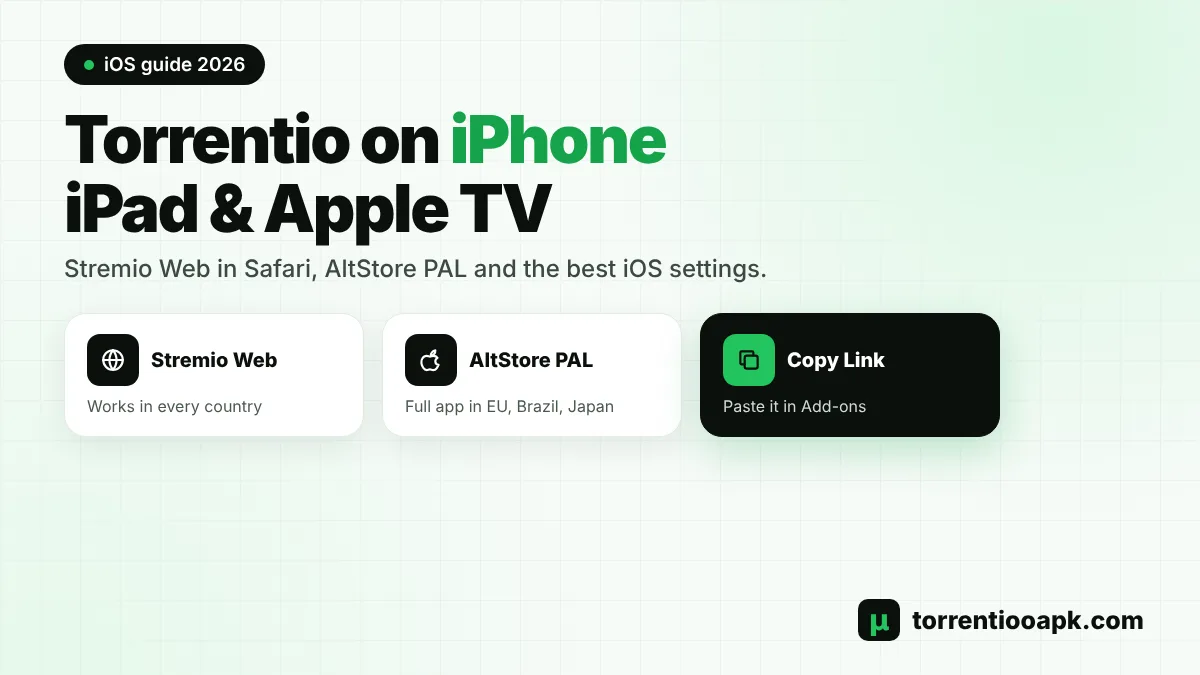
Setting up Torrentio iPhone streaming is a little different from Android, because Apple doesn't allow every app into the App Store. The good news is that Torrentio still works on iPhone and iPad in 2026. You just need to pick the right way to run Stremio, add Torrentio with its link and choose settings that suit Apple's browser and players.
This guide explains every option available today: Stremio Web in Safari, the full Stremio app through AltStore PAL in Europe, Brazil and Japan, and sideloading. You'll also learn how to add Torrentio without the Install button, the best settings for iOS, how debrid helps, and what to do on iPad and Apple TV.
Quick answer: On most iPhones, open web.stremio.com in Safari and sign in › open torrentio.strem.fun/configure › tap Copy Link › go back to Stremio Web › Add-ons › paste the link › Install. For the smoothest playback, add a debrid service and pick H.264 or MP4 streams.
Can You Use Torrentio on iPhone?
Yes. Torrentio is a Stremio add-on that runs on a web server, so it works on any device that can run Stremio. On iPhone and iPad, that means either Stremio Web in Safari or a full Stremio app installed outside the regular App Store. There's no separate Torrentio app for iOS, and you don't need one. Be wary of any App Store listing or website that claims to offer one.
The main difference from Android is playback. Browsers on iOS can't play every video format, so a few streams that work on a computer may not open on an iPhone. With the right settings, though, a Torrentio iPhone setup works well for most movies and shows.
What You Need for a Torrentio iPhone Setup
- An iPhone or iPad with an up-to-date version of iOS or iPadOS.
- Safari, which works best with Stremio Web on Apple devices.
- A free Stremio account.
- Optional: a computer or Android device to install Torrentio more easily.
- Optional: a Real-Debrid or TorBox plan for the smoothest playback.
That's everything. A Torrentio iPhone setup doesn't need jailbreaking, paid apps or special profiles.
Your Options for Torrentio on iPhone in 2026
Stremio's situation on Apple devices has changed a lot over the past year. Here's where things stand:
| Option | Where it works | What you get | Difficulty |
|---|---|---|---|
| Stremio Web in Safari | All countries | Official, free, works with Torrentio | Easy |
| Full app via AltStore PAL | Europe, Brazil and Japan | Full Stremio app experience | Medium |
| Sideloaded full app | Any country, with a computer | Full app, but needs re-signing | Advanced |
| Stremio Lite (App Store) | Removed from the App Store in January 2026 | Not available for new installs | – |
The official Stremio downloads page lists the web version as the standard iOS option, and AltStore PAL for the full version in Europe, Brazil and Japan. For most people, Stremio Web is the easiest way to start a Torrentio iPhone setup.
Method 1: Torrentio iPhone Setup With Stremio Web
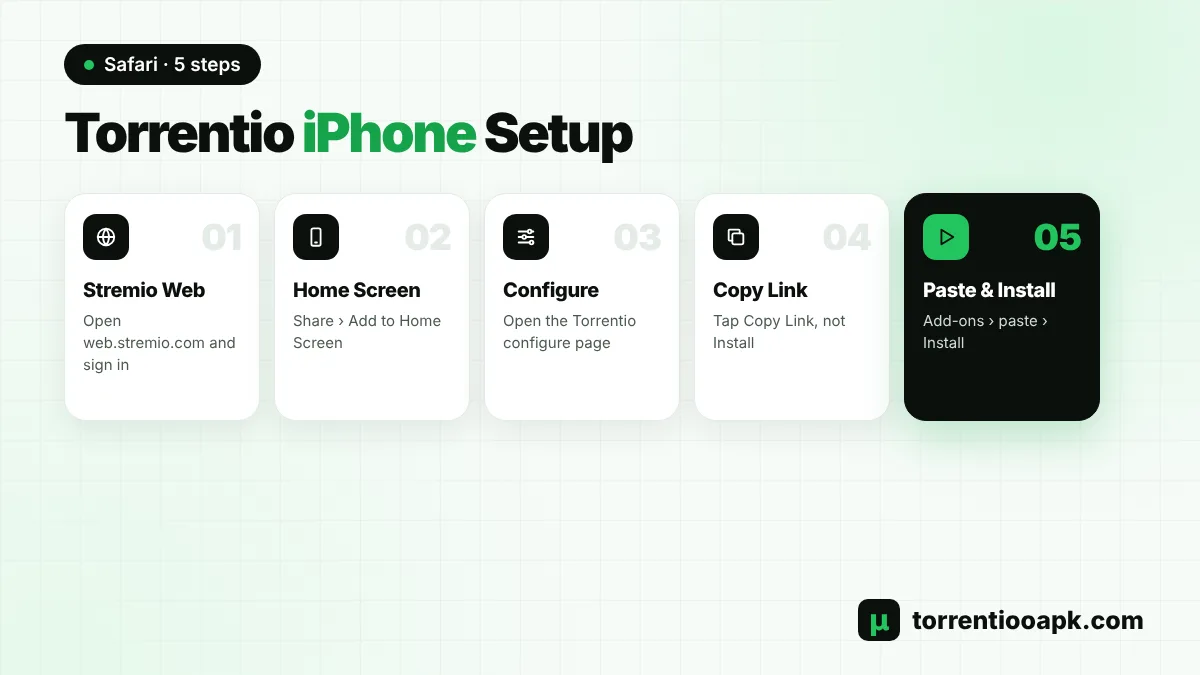
This method works in every country and needs nothing except Safari:
Step 1: Open Stremio Web
In Safari, go to
web.stremio.comand sign in, or create a free account.Step 2: Add It to Your Home Screen
Tap the Share button, then Add to Home Screen. Stremio Web now opens like an app.
Step 3: Open the Torrentio Configure Page
In a new Safari tab, open the official Torrentio configure page and choose your settings.
Step 4: Copy Your Link
Tap Copy Link at the bottom of the page. The Install button may not work on iPhone, so the link is the reliable way.
Step 5: Install in Stremio Web
Go back to Stremio Web, open Add-ons, paste the link into the search bar and tap Install.
According to Stremio's own blog, Stremio Web on iPhone and iPad can convert some videos so the browser can play them, which helps with formats Safari doesn't support natively.
Method 2: Full Stremio App With AltStore PAL
If you live in the European Union, Brazil or Japan, Apple allows alternative app marketplaces. Stremio offers its full app through AltStore PAL in these regions. The full app gives you a smoother interface than the browser and a more app-like experience.
- Install AltStore PAL from its official website, following its instructions for your country.
- Open the iOS section of the official Stremio downloads page and follow the AltStore PAL link.
- Install Stremio, open it and sign in.
- Add Torrentio with your copied link, or install it on another device with the same account.
Only use the links from Stremio's official downloads page, so you know you're getting the genuine app. Once Stremio is installed this way, it can receive updates through AltStore PAL, and your add-ons stay synced with your account.
Method 3: Sideloading the Full Stremio App
In February 2026, Stremio announced a full-featured sideloadable app file for iOS, iPadOS and Apple TV. Sideloading means installing an app from a file using a computer and a signing tool, instead of from a store. It works in any country, but it comes with drawbacks:
- You need a computer and a signing tool to install it.
- Apps signed with a free Apple account usually expire after about seven days and must be re-signed.
- Apple sign-in doesn't work in sideloaded builds, so use an email login for Stremio.
- Availability of the file on Stremio's downloads page has changed over time.
Sideloading is best for experienced users. If it sounds complicated, Stremio Web gives you the same Torrentio streams with far less effort, and it never expires or needs re-signing.
Add Torrentio From Another Device
The fastest Torrentio iPhone trick is to skip the phone setup altogether. Install Torrentio on a computer or Android phone while signed in to your Stremio account. Then sign in with the same account on your iPhone, and Torrentio is already there. This also makes it easy to paste a long personal link with a debrid key, because you do it on a bigger screen. Our guide on how to install Torrentio on Stremio covers the computer and Android steps.
Torrentio iPhone vs Android: Key Differences
If you've used Torrentio on Android before, these are the main things that change on Apple devices:
| Feature | iPhone and iPad | Android |
|---|---|---|
| Stremio app | Stremio Web, or full app in some regions | Full app from the official website |
| Install button | Often doesn't work, use Copy Link | Opens Stremio directly |
| Video formats | Limited in the browser | Almost everything plays |
| Free P2P streams | Can be slower and less reliable | Work well with good seeders |
| Debrid streams | Strongly recommended | Optional upgrade |
In short, a Torrentio iPhone setup works best with a debrid service and browser-friendly files, while Android handles almost anything.
Best Torrentio Settings for iPhone and iPad
Safari and Stremio Web support fewer formats than desktop apps, so a few filters make a big difference:
- Exclude: 4k, BluRay REMUX, HDR/HDR10+/Dolby Vision, Cam, Screener and Unknown.
- Size limit:
4GB,1GB(movies, episodes) to avoid huge files on mobile data. - Sorting: by quality then seeders without debrid, or by quality then size with debrid.
- Max results: 5 to 10, so the list is quick to scroll on a small screen.
When picking a stream, prefer H.264 or x264 releases with AAC audio. Files with HEVC video or DTS and TrueHD audio are the most likely to fail or play without sound in a browser. Every option is explained in our Torrentio best settings guide.
Torrentio iPhone With Free P2P Streams
You can use a Torrentio iPhone setup without paying for anything. Stremio's blog says Stremio Web on iPhone and iPad supports torrent streaming, so free Torrentio links can play in the browser. They tend to be slower to start than on a computer, though. For the best results, sort by quality then seeders, choose 720p or 1080p H.264 files with plenty of seeders, and give each stream up to a minute to begin. If a stream stalls, go back and try the next one with more seeders.
Why Debrid Works Best on iPhone
A debrid service is especially useful for a Torrentio iPhone setup. Cached debrid streams are delivered over a normal HTTPS connection, just like a video on any website, which browsers handle far better than peer-to-peer links. They also start faster and don't share your IP address with other users. Set one up with our Torrentio Real Debrid guide or the Torrentio TorBox guide, ideally from a computer, then sign in on your iPhone.
Using Mobile Data With Torrentio on iPhone
Streaming on mobile data can use a lot of data quickly. A 1080p movie can easily be 2GB to 4GB. For a data-friendly Torrentio iPhone setup, set a size limit like 2GB,700MB, choose 720p streams when you're away from Wi-Fi and turn on Low Data Mode in your iPhone's cellular settings if your plan is limited. If you use Real-Debrid, remember its one-IP rule: don't stream on mobile data and home Wi-Fi at the same moment.
How to Watch Torrentio From Your iPhone on a TV
Want the big screen without a separate TV app? Safari supports AirPlay for many videos, so you can often send a Stremio Web stream to an Apple TV or an AirPlay-compatible smart TV with the AirPlay button in the player. Screen Mirroring from Control Center is another option, though it can reduce quality and drain your battery faster during long films. For regular TV viewing, though, a dedicated device gives a much better Torrentio experience than mirroring from a phone.
Torrentio on iPad
Everything in this guide works the same on iPad. The bigger screen makes Stremio Web much more comfortable for browsing catalogs and reading long stream lists, and you can use Split View to keep the Torrentio configure page and Stremio side by side while setting up. iPads with M-series or recent A-series chips handle large 1080p files well, but browser format limits still apply, so the same settings are recommended.
Torrentio on Apple TV
Apple TV is the trickiest Apple device. Stremio Lite reached the Apple TV App Store in October 2025 but was removed in January 2026, and the sideloadable app announced in February 2026 also covers Apple TV for advanced users. The official downloads page lists an Apple TV option, so check it for the latest status. If you can't install Stremio on your Apple TV, a Google TV stick or a Fire TV device is often the simplest way to get Torrentio on your television. See our Torrentio Android TV guide and Torrentio Firestick guide.
How to Update or Change Torrentio on iPhone
Torrentio updates itself on its server, so you never need to reinstall it for a new version. To change your settings, open Add-ons in Stremio Web, find Torrentio and use its configure option, or open the configure page again in Safari. Choose your new settings, copy the new link, install it and remove the old Torrentio so you don't get duplicate results. Because your add-ons are saved to your account, the change also appears on your other devices.
Torrentio iPhone Problems and Fixes
Problem: Install Button Does Nothing
Solution
- Tap Copy Link instead and paste it into the Add-ons search bar in Stremio Web.
Problem: Video Won't Play in Safari
Solution
- Choose an H.264 or MP4 stream, or a cached debrid stream.
- Exclude 4k and HDR in your settings.
Problem: Video Plays Without Sound
Solution
- The audio format isn't supported in the browser. Pick a release with AAC or AC3 audio.
Problem: Sideloaded App Stopped Opening
Solution
- Its signature has expired. Re-sign it with your signing tool, or use Stremio Web.
If no streams appear on any device, check the server with our Torrentio down guide. New to reading the stream list? Our guide on how to use Torrentio explains every detail.
Common Torrentio iPhone Mistakes
- Relying on the Install button: it often fails in Safari, so use Copy Link.
- Picking 4K or HDR files: they rarely play in a browser and waste data.
- Downloading unofficial "Stremio" apps: sites that ask you to install profiles or other apps aren't official.
- Using Apple sign-in on a sideloaded app: it doesn't work there, so use an email login.
- Typing a long personal link by hand: copy and paste it instead, or set it up on a computer.
Avoid these and your Torrentio iPhone experience will be much smoother.
Is Torrentio Safe on iPhone?
Stremio Web runs inside Safari, which keeps it separated from the rest of your phone, and Torrentio itself installs nothing on your device. The main risks come from unofficial sources, not from Torrentio iPhone streaming itself. Avoid websites that ask you to install extra apps, configuration profiles or "plugins" to get Stremio, and only follow links from Stremio's official downloads page. Never share your personal Torrentio link, because it can contain your debrid key. Read our full guide is Torrentio safe for more tips.
Torrentio iPhone Setup Checklist
- Stremio Web is open in Safari and added to your Home Screen, or the full app is installed.
- You're signed in to your Stremio account.
- Torrentio is installed with the copied link from the official configure page.
- 4K, HDR and REMUX are excluded, and a size limit is set.
- A debrid key is added, if you have a plan.
- A test movie plays with sound.
If every point is ticked, your Torrentio iPhone setup is ready.
Conclusion
A Torrentio iPhone setup is easier than many people think. For most users, Stremio Web in Safari plus the copied Torrentio link is all you need. In Europe, Brazil and Japan, AltStore PAL offers the full app, and advanced users can sideload. Choose iPhone-friendly settings, prefer H.264 streams, and add a debrid service for the smoothest playback. Learn more about the add-on itself in our guide what is Torrentio.
FAQs
Does Torrentio work on iPhone?
Yes. Torrentio works on iPhone through Stremio Web in Safari, or through the full Stremio app where it is available, such as via AltStore PAL in Europe, Brazil and Japan.
Is there a Torrentio app for iPhone?
No. Torrentio is a Stremio add-on, not an app. You use Stremio Web or the Stremio app and add Torrentio to it with its link.
Why won't the Torrentio Install button work on iPhone?
The Install button opens a special Stremio link that Safari often can't handle. Tap Copy Link on the configure page and paste it into the Add-ons search bar in Stremio Web instead.
Is Stremio still in the App Store?
Stremio Lite was removed from the App Store in January 2026. The official options now are Stremio Web, AltStore PAL in some regions, and a sideloadable full app.
Why does a Torrentio stream have no sound on iPhone?
The file's audio format, such as DTS or TrueHD, is not supported in the browser. Choose a release with AAC or AC3 audio, or a cached debrid stream.
Can I use Torrentio on Apple TV?
Only if you can install Stremio on it, which currently means advanced options such as sideloading. Many people use a Google TV or Fire TV stick instead.