
Table of Contents
- Can You Watch Anime on Stremio?
- The Best Stremio Anime Add-ons in 2026
- How to Set Up Stremio for Anime Step by Step
- Install Order Matters
- Best Ways to Browse Anime in Stremio
- Best Torrentio Settings for Stremio Anime
- Why Episode Numbers Look Wrong in Stremio Anime
- Sub or Dub? Getting the Right Anime Audio
- Anime Subtitles in Stremio
- Long-Running Series and Anime Movies
- Stremio Anime vs Official Anime Streaming Services
- Tips for Smooth Anime Streaming
- Using AIOStreams and Other Stream Add-ons for Anime
- Keeping Track of What You've Watched
- Do You Need Debrid for Stremio Anime?
- Stremio Anime Not Working? Common Fixes
- Stremio Anime on TV, Phone and iPhone
- Is Watching Anime on Stremio Legal?
- Stremio Anime Setup Checklist
- Conclusion
- FAQs
Want to turn Stremio into an anime hub? A good Stremio anime setup gives you seasonal charts, top-rated lists, correct episode numbers and fast streams for subbed and dubbed shows, all in one app. Out of the box, though, Stremio's catalogs are built for movies and western TV, so anime fans often see missing episodes or wrong numbering until they add the right add-ons.
This guide shows the best Stremio anime setup for 2026: which add-ons to install, the Torrentio settings that matter for anime, how to choose between subs and dubs, how to fix episode numbering and what to do when an anime shows no streams.
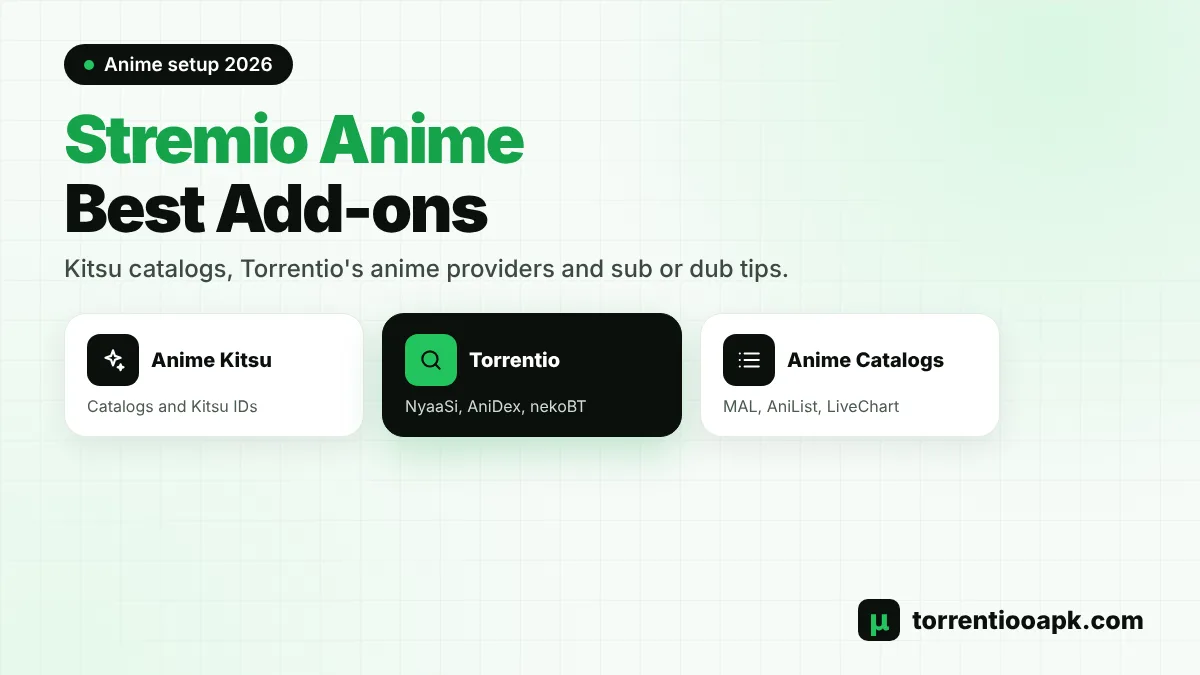
Quick answer: For the best Stremio anime experience, install Anime Kitsu for anime catalogs and correct episode matching, then Torrentio with its anime providers turned on: NyaaSi, TokyoTosho, AniDex, nekoBT and HorribleSubs. Add Anime Catalogs for MyAnimeList and AniList charts, and a debrid service for instant 1080p playback.
Can You Watch Anime on Stremio?
Yes. Stremio doesn't host anime itself, but add-ons turn it into one of the most popular ways to watch anime. Catalog add-ons supply the posters, seasons and episode lists, and stream add-ons like Torrentio find the video files. Torrentio supports the anime content type directly and searches several anime-focused torrent sites.
The trick to a good Stremio anime setup is combining an anime catalog with a stream add-on that understands anime IDs. Torrentio accepts both IMDb IDs and Kitsu IDs, which is why it pairs so well with the Anime Kitsu add-on. If you're new to the add-on, read what Torrentio is and how it works first.
The Best Stremio Anime Add-ons in 2026
You only need a few add-ons for a complete Stremio anime library:
| Add-on | Type | What it adds |
|---|---|---|
| Anime Kitsu | Catalog and metadata | Kitsu trending, top airing, most popular and highest rated lists, plus anime search |
| Torrentio | Streams | Anime torrents from NyaaSi, TokyoTosho, AniDex, nekoBT and HorribleSubs |
| Anime Catalogs | Catalogs | Charts from MyAnimeList, AniList, Kitsu, AniDB, aniSearch, LiveChart and Notify.Moe |
| A subtitle add-on | Subtitles | Extra subtitles when a release has none in your language |
Anime Kitsu
Anime Kitsu describes itself as an unofficial Kitsu.io anime catalog add-on. It's hosted on the same strem.fun domain as Torrentio and adds rows such as Kitsu Trending, Kitsu Top Airing, Kitsu Most Popular and Kitsu Highest Rated, plus its own anime search. It understands Kitsu, MyAnimeList, AniList and AniDB IDs, so anime titles open with anime-style episode lists. It doesn't provide streams itself; Torrentio does that.
Torrentio
Torrentio is the stream source in most Stremio anime setups. Its anime providers specialise in fansub and raw releases, and it can match titles by Kitsu ID, so episodes from the Anime Kitsu catalog find the right files.
Anime Catalogs
Anime Catalogs pulls lists from MyAnimeList, AniDB, AniList, Kitsu, aniSearch, LiveChart.me and Notify.Moe. Its options include Show Only Dubbed Content, Cinemeta Episode Ordering and ratings on posters if you have an RPDB key. It's ideal if you like browsing MyAnimeList or seasonal charts. Because it only adds catalogs, it works alongside Anime Kitsu rather than replacing it, and Torrentio still supplies the streams for whatever you pick from its lists.
How to Set Up Stremio for Anime Step by Step
Follow these steps on a phone or computer. Add-ons sync to every device signed in to your Stremio account, including TVs.
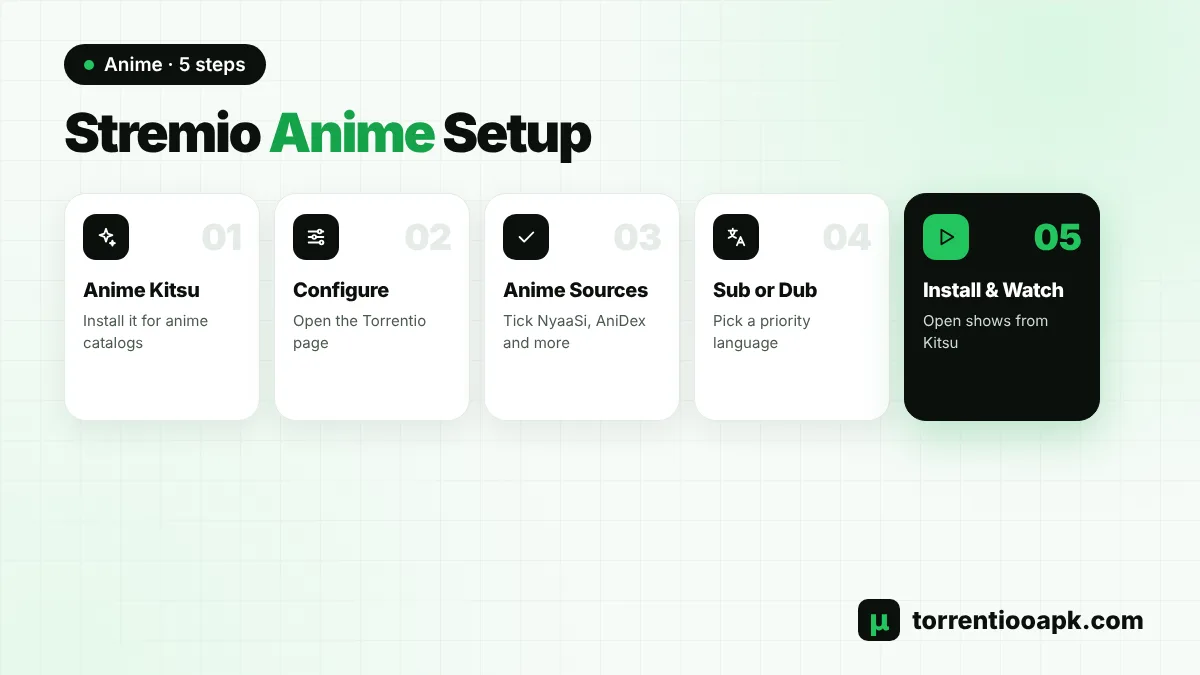
Step 1: Install Anime Kitsu
In Stremio, open Add-ons and search the community list for Anime Kitsu, or paste
https://anime-kitsu.strem.fun/manifest.jsoninto the search bar and install it.Step 2: Open the Torrentio Configure Page
Go to the official Torrentio configure page in your browser.
Step 3: Turn On the Anime Providers
Make sure NyaaSi, TokyoTosho, AniDex, nekoBT and HorribleSubs are ticked under Providers.
Step 4: Set Language and Sorting
Choose a priority language if you want dubs, and sort by quality then seeders for free streams.
Step 5: Add Debrid (Optional)
Paste a debrid key for instant cached playback, then tap Install.
Step 6: Add Anime Catalogs (Optional)
Open the Anime Catalogs configure page, pick your lists and options, and install it.
Need help with the Torrentio part? Our guide on how to install Torrentio on Stremio covers every device.
Install Order Matters
A popular Stremio anime setup guide on Reddit points out that the order you install add-ons affects how Stremio shows their catalogs and streams. Lists from add-ons installed first tend to appear higher. If you want the Kitsu rows near the top of your Board, install Anime Kitsu early.
In many Stremio versions there's no drag-and-drop to reorder add-ons. To move one up, uninstall the add-ons above it and reinstall them in the order you want. It's a little tedious, so plan your Stremio anime setup before you start adding lots of catalogs.
Best Ways to Browse Anime in Stremio
Once the add-ons are installed, you have several ways to find something to watch:
- Board: the Kitsu Trending and Top Airing rows show what's popular right now.
- Discover: choose the anime type and pick a Kitsu or Anime Catalogs list to browse by popularity or rating.
- Search: anime results from Anime Kitsu appear alongside normal results. Pick the Kitsu entry for the best episode matching.
- Seasonal charts: Anime Catalogs' LiveChart and AniList lists are great for following the current season.
Add shows to your Library so new episodes appear in Continue Watching and you never lose your place. It's the easiest way to follow a weekly simulcast season.
Best Torrentio Settings for Stremio Anime
Torrentio's defaults work, but a few changes make a big difference for anime. Viren070's popular Stremio FAQ specifically recommends making sure NyaaSi and AniDex are enabled for anime.
- Providers: keep NyaaSi, TokyoTosho, AniDex, nekoBT and HorribleSubs on. Leave the main international providers on as well for anime films.
- Priority language: leave it empty for subbed anime, or pick your language if you prefer dubs.
- Sorting: quality then seeders without debrid, quality then size with debrid.
- Exclusions: exclude Cam and Screener. Don't exclude 720p, because many fansub releases still use it.
- Max results: 5 to 10 per quality keeps the list easy to scan.
Every other option is explained in our Torrentio best settings guide.
Why Episode Numbers Look Wrong in Stremio Anime
This is the most common Stremio anime frustration. Stremio's default catalog, Cinemeta, uses IMDb data, which often groups long anime into seasons in a different way from how fans and release groups number them. Many anime releases use absolute episode numbers, such as episode 150, while IMDb might call that season 6, episode 12.
When the numbers don't line up, a stream add-on can struggle to find the right file. The fix is to open anime from the Anime Kitsu catalog or search instead. Kitsu lists each season or cour as its own entry with anime-style numbering, and Torrentio matches those entries by Kitsu ID. Anime Catalogs also offers a Cinemeta Episode Ordering option if you prefer IMDb-style seasons.
Sub or Dub? Getting the Right Anime Audio
Stremio anime fans are split between subtitles and dubs, and Torrentio can serve both. Release names usually tell you what you're getting:
| Tag in the name | What it usually means |
|---|---|
| Dual Audio | Japanese and another language, often English |
| Dub | Dubbed audio, usually English |
| Multi-Audio or Multi-Subs | Several audio or subtitle languages |
| Raw | Japanese audio with no subtitles |
| Fansub group name | Japanese audio with subtitles from that group |
For dubs, set a priority language in Torrentio so dubbed releases appear first, and consider Anime Catalogs' Show Only Dubbed Content option to browse only dubbed shows. For subs, pick a release from a well-known fansub or web group so the subtitles are built into the file.
Anime Subtitles in Stremio
Most subbed anime releases carry soft subtitles inside the file, often with styled fonts for signs and songs. Choose that embedded track in the player's subtitles menu. If a release has no subtitles in your language, a subtitle add-on can fill the gap, though timing may need adjusting.
Some Android viewers prefer an external player for complex anime subtitle styles. Our Stremio subtitles guide explains embedded tracks, sync fixes and the best subtitle add-ons in detail.
Long-Running Series and Anime Movies
Long-running shows are where a Stremio anime setup is tested most. Series with hundreds of episodes are often released with absolute numbering and in large batches. Open them from the Kitsu catalog so episode numbers line up, and expect batch torrents that contain many episodes; Torrentio picks the right file from the batch for you. A debrid service makes these batches far quicker to start.
Anime films are simpler. They usually appear in both Stremio's normal movie catalog and in Kitsu. Torrentio's main international providers often have more film releases than the anime sites, so keep both enabled. For 4K anime films, check that your device supports the release's video format before you pick a large file.
Stremio Anime vs Official Anime Streaming Services
Stremio is a free player, and its anime library depends on the add-ons you install. Official services such as Crunchyroll license shows directly, pay the studios and offer simulcasts with professional subtitles, often within hours of Japanese broadcast.
Many fans use both: an official service for current simulcasts and Stremio for organising their watchlist, tracking episodes and exploring older catalogs. If a show you love is available officially in your country, supporting it helps the industry make more anime.
Tips for Smooth Anime Streaming
- Choose popular release groups for better quality and subtitles.
- Prefer H.264 on older devices and browsers, HEVC on newer TVs and sticks.
- Use the Kitsu entry when a season is split differently from IMDb.
- Turn on a debrid service for older series with few seeders.
- Keep your Stremio anime add-ons to the few you really use.
Using AIOStreams and Other Stream Add-ons for Anime
Torrentio isn't the only stream source for anime. Comet and MediaFusion also return anime results, and AIOStreams can combine several add-ons into one tidy list. Keep in mind that many public AIOStreams instances disable Torrentio at its developer's request, so most people install Torrentio separately and use AIOStreams for the rest. Our AIOStreams Torrentio guide explains the options, and our Torrentio vs Comet comparison shows how the two differ.
Two stream add-ons are plenty for a Stremio anime setup. More sources mean slower loading and more duplicate results, not better episodes.
Keeping Track of What You've Watched
Stremio remembers your progress automatically. Add a series to your Library and its next episode appears in Continue Watching on every device signed in to your account. Watched episodes get a checkmark, so switching from phone to TV mid-season never loses your place. Stremio can also connect to Trakt in its settings if you track shows there.
Do You Need Debrid for Stremio Anime?
No, but it helps. Popular new episodes usually have plenty of seeders, so free peer-to-peer streams play well. Older or niche series can have few seeders, which means slow starts and buffering. A debrid service caches popular files on fast servers, so a Stremio anime marathon plays instantly in 1080p.
Debrid also keeps your IP address out of the torrent swarm. See how the services stack up in our best debrid for Stremio comparison, or follow the Torrentio TorBox or Torrentio Real Debrid setup.
Stremio Anime Not Working? Common Fixes
No Streams for an Anime Episode
Open the title from the Anime Kitsu catalog instead of the main search. If it still shows nothing, check that the anime providers are ticked in Torrentio and reinstall your link.
Wrong Episode Plays
This usually means the numbering doesn't match. Use the Kitsu entry for that season, or pick a stream whose name shows the episode number you expect.
Only Dubs or Only Subs Appear
Check your priority language. A priority language pushes those releases to the top, so scroll down for the others, or clear it.
Very New Episodes Missing
Brand-new episodes can take a little while to appear. Try again later, or check that Torrentio itself is working with our Torrentio down guide.
Stremio Anime on TV, Phone and iPhone
Your Stremio anime setup follows your account, so install the add-ons once on a phone or computer and they appear on every device. On a TV, browse the Kitsu rows with the remote just like any other catalog. Device guides: Firestick, Android TV, Samsung TV and iPhone.
On an iPhone, Stremio Web plays fewer video formats, so prefer H.264 releases over HEVC (x265) ones, which many anime groups use to keep files small.
Is Watching Anime on Stremio Legal?
Stremio and its add-ons are software tools. Anime Kitsu and Anime Catalogs only provide information such as posters and episode lists. Torrentio finds torrents and doesn't host any videos. Much of the anime found through torrents is copyrighted, and laws differ by country, so only watch content you have the right to access. Read our is Torrentio safe guide for the privacy and legal details.
Stremio Anime Setup Checklist
- Anime Kitsu is installed for catalogs and Kitsu IDs.
- Torrentio has NyaaSi, TokyoTosho, AniDex, nekoBT and HorribleSubs ticked.
- Priority language matches your sub or dub preference.
- Anime Catalogs is added if you want MyAnimeList or AniList charts.
- A debrid service is connected for fast, private playback.
Conclusion
A great Stremio anime setup takes about ten minutes. Install Anime Kitsu for anime catalogs and correct numbering, configure Torrentio with its anime providers, add Anime Catalogs for extra charts and choose your sub or dub preference with Torrentio's priority language. Add a debrid service if you binge older series, and use the Kitsu entries whenever episode numbers look wrong.
Want more streams beyond Torrentio? See our list of Torrentio alternatives or our AIOStreams Torrentio guide, or return to the Torrentio APK home page.
FAQs
Can you watch anime on Stremio?
Yes. Install an anime catalog add-on such as Anime Kitsu and a stream add-on such as Torrentio. Stremio then shows anime lists and plays episodes from the streams Torrentio finds.
What is the best Stremio anime add-on?
Anime Kitsu is the best catalog add-on because it adds anime lists and Kitsu IDs. Torrentio, with its anime providers turned on, is the most popular stream source.
Which Torrentio providers are best for anime?
NyaaSi, TokyoTosho, AniDex, nekoBT and HorribleSubs. Keep them all ticked on the Torrentio configure page.
Why are anime episode numbers wrong in Stremio?
Stremio's default catalog uses IMDb seasons, while many anime releases use absolute numbering. Open the anime from the Anime Kitsu catalog, which Torrentio matches by Kitsu ID.
How do I watch dubbed anime on Stremio?
Set your language as the priority language in Torrentio so dubbed releases appear first, and look for Dub or Dual Audio in stream names. Anime Catalogs can also show only dubbed titles.
Do I need Real-Debrid for anime on Stremio?
No. Popular episodes play well over P2P. A debrid service helps with older or niche series that have few seeders and gives instant 1080p playback.