
Table of Contents
- Where Is the Official Torrentio Website?
- Torrentio GitHub Repository at a Glance
- What's Inside the Torrentio GitHub Repository?
- How to Read the Torrentio GitHub Page: A Beginner's Tour
- Why Torrentio Is Open Source
- What Does the Apache-2.0 Licence Mean?
- Can You Download Torrentio From GitHub?
- Is There a Torrentio Login?
- Who Is the Torrentio Developer?
- How Long Has Torrentio Been Around?
- How to Report a Problem on the Torrentio GitHub
- Can You Self-Host Torrentio?
- Torrentio GitHub vs Stremio's Own GitHub
- Is It Safe to Visit the Torrentio GitHub Page?
- Torrentio GitHub for Android, iPhone and TV Users
- How to Spot Fake Torrentio Websites
- Why Do Some Sites Call Themselves "Official"?
- What the Torrentio GitHub Page Can't Tell You
- How to Check That a Torrentio Link Is Real
- Torrentio GitHub vs Fan Websites
- How to Support the Torrentio Developer
- Torrentio GitHub Quick Reference
- What to Do Next
- Conclusion
- FAQs
Looking for the official Torrentio GitHub page or the real Torrentio website? With so many sites using the Torrentio name, it's easy to end up on a copy. This guide shows you where the genuine add-on lives, what's inside the Torrentio GitHub repository, who develops it, whether you can download or self-host it, and how to check that a link is real before you paste your debrid key anywhere.
We checked the official add-on server and the GitHub repository in October 2026, when Torrentio was running version 0.0.15.
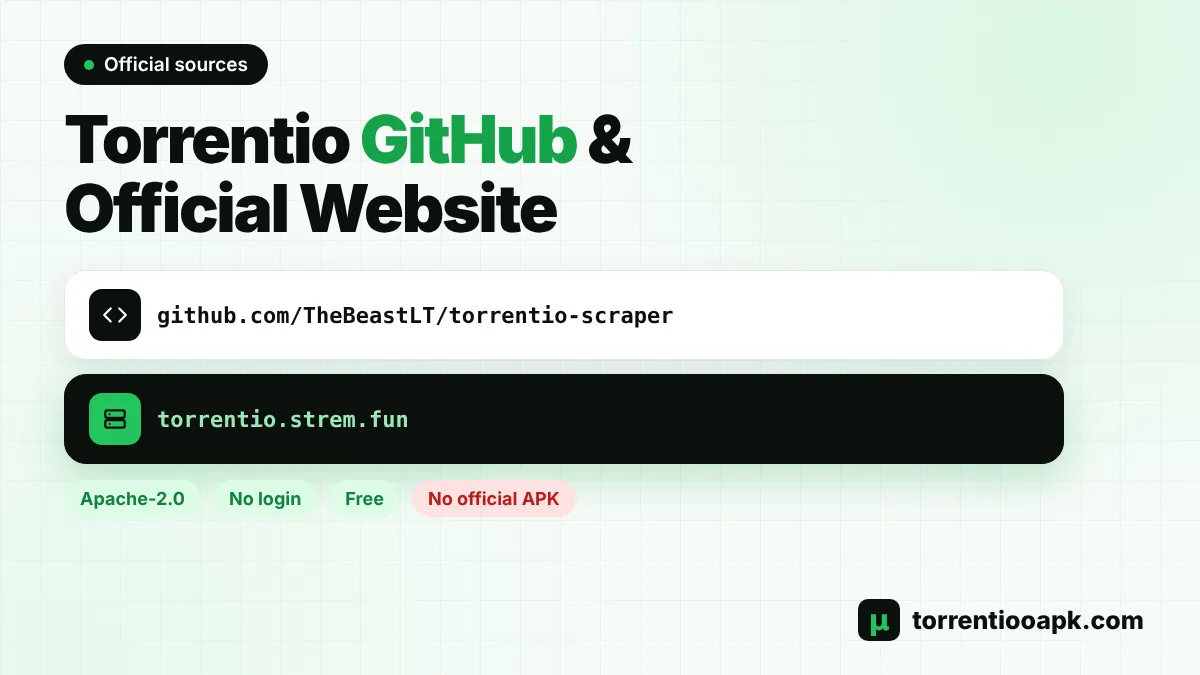
Quick facts: The add-on is served from torrentio.strem.fun. Its source code is on GitHub at TheBeastLT/torrentio-scraper under the Apache-2.0 licence. There is no Torrentio login, no paid version and no official app to download.
Where Is the Official Torrentio Website?
Torrentio doesn't have a big marketing website. Its "official site" is simply the configure page on its own server: torrentio.strem.fun/configure. That page lets you pick providers, sorting, language, filters and a debrid service, then install the add-on into Stremio. The default add-on link, https://torrentio.strem.fun/manifest.json, lives on the same server.
Many other websites, including guide sites like this one, write about Torrentio. Torrentio APK is an independent guide and is not run by the Torrentio developer. Guides can help you set things up, but the add-on itself should always be installed from torrentio.strem.fun. If a guide's Install button points anywhere else, copy the link from the official configure page instead.
Torrentio GitHub Repository at a Glance
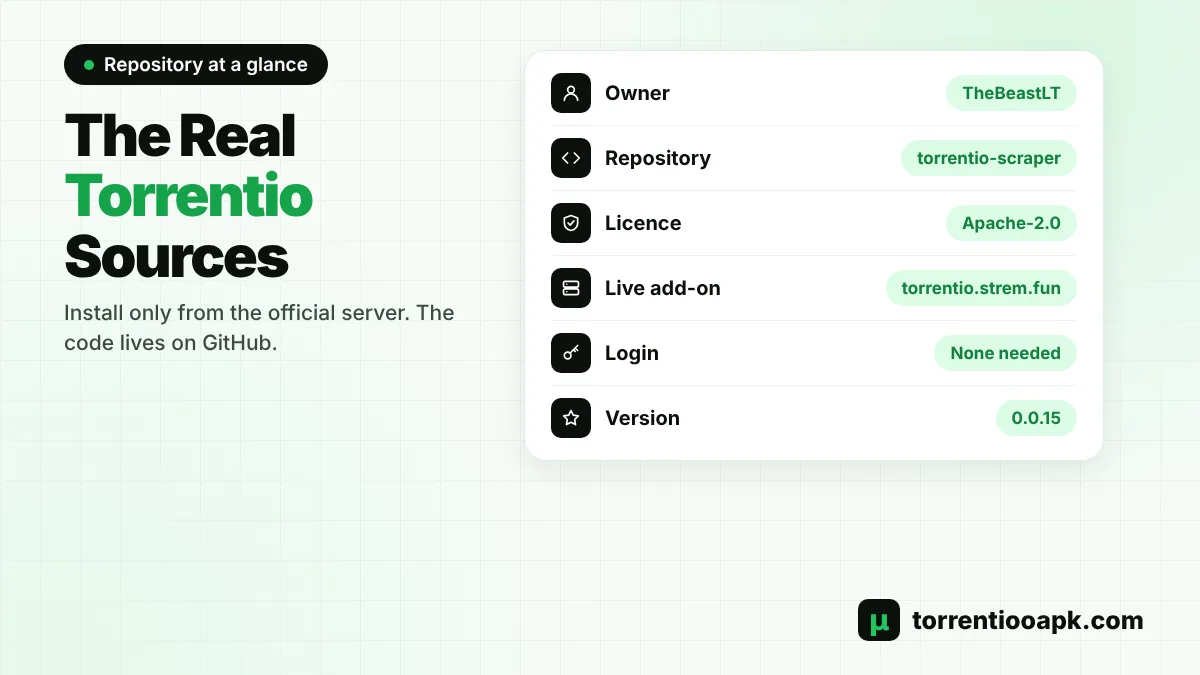
| Detail | Value |
|---|---|
| Repository | github.com/TheBeastLT/torrentio-scraper |
| Owner | TheBeastLT |
| Licence | Apache-2.0 (open source) |
| Main folders | addon, catalogs and GitHub workflow files |
| Popularity | About 1,300 stars and 200+ forks when we checked |
| History | More than 900 commits |
| Live add-on | torrentio.strem.fun, version 0.0.15 |
Stars and forks change over time, so treat those numbers as a snapshot rather than exact figures. The important part is the owner and repository name. Any "Torrentio GitHub" link that points somewhere else is a fork or a copy, not the original.
What's Inside the Torrentio GitHub Repository?
You don't need to be a programmer to understand the basics. The repository holds the code that runs on Torrentio's server, not an app for your phone:
- addon: the Stremio add-on itself. The repository describes it as the part that queries scraped entries and returns Stremio stream results. This is what answers when Stremio asks for streams.
- catalogs: a separate part of the project related to catalogs. The repository doesn't describe it in detail, and you don't need it to use the add-on.
- Workflow files: automation that GitHub uses to build and check the code.
In short, the Torrentio GitHub repository is the engine behind the add-on. When you install Torrentio in Stremio, you're connecting to a server running this code.
How to Read the Torrentio GitHub Page: A Beginner's Tour
GitHub can look confusing if you've never used it. Here's what you'll see on the Torrentio GitHub page and what each part means:
- Code tab: the list of folders and files. This is the default view when you open the repository.
- README: a short description shown below the file list. For Torrentio it briefly explains the add-on part of the project.
- Issues tab: bug reports and questions from users. You can read them without an account, but you need a free GitHub account to post.
- Commits: the history of changes to the code. A long history shows the project has been worked on for years.
- Stars and forks: stars are like bookmarks or "likes", and forks are copies other people made to experiment or self-host.
- Licence: shown in the sidebar, telling you how the code may be used.
You don't need to understand the code to benefit from the Torrentio GitHub page. Reading recent issues is often the quickest way to see whether others are having the same problem as you, and whether a fix or workaround has already been shared.
Why Torrentio Is Open Source
Publishing the code openly has real benefits for users. Anyone can read how the add-on handles requests, which builds trust. Developers can spot and report problems, and the community can learn from the project. Open code also made it possible for other developers to build forks and self-hosted versions when the public server was overloaded. That openness is one of the reasons Torrentio became so widely trusted among Stremio users.
What Does the Apache-2.0 Licence Mean?
The Torrentio GitHub repository uses the Apache-2.0 licence, a well-known open-source licence. In plain words, it allows people to use, change and share the code, including in their own projects, as long as they keep the copyright and licence notices and note any changes they make. It also includes a patent grant from contributors. The licence covers the code only. It doesn't give anyone the right to the content that people stream, which is still covered by copyright law.
Can You Download Torrentio From GitHub?
Not as an app. The Torrentio GitHub repository contains server code written for developers, not an APK, EXE or iPhone app. Downloading it won't give you anything to install on your phone or TV, and running it yourself requires server skills. To use Torrentio, you install Stremio and add the add-on from its configure page. Our guide on how to install Torrentio on Stremio walks you through it on every device.
If you see a "Torrentio GitHub download" offering an APK, it isn't from the official repository. Be careful with such files.
Is There a Torrentio Login?
No. Torrentio has no accounts, usernames or passwords. Your settings are stored inside your personal add-on link, and Stremio saves that link to your Stremio account. The only login involved is your free Stremio account, plus your debrid account if you use one. Any site asking you to "log in to Torrentio" is not the official add-on. Learn more about links on our Torrentio addon link page.
Who Is the Torrentio Developer?
Torrentio is developed by a community developer known on GitHub as TheBeastLT. It isn't made by Stremio, although it's one of the most used add-ons in the Stremio world. The developer also runs the main public server that almost everyone connects to. That server carries a huge load. In 2024, a moderator of the r/StremioAddons community said Torrentio was handling around 10 million requests per day, which explains why busy periods sometimes lead to slowdowns. When that happens, our Torrentio down guide shows how to check the server.
New to the add-on? Our guide what is Torrentio explains how it works in simple words.
How Long Has Torrentio Been Around?
Torrentio has been part of the Stremio community for years. One of the best-known announcement threads, "[Remote Addon] Torrentio for Stremio", was posted on the r/StremioAddons community in March 2020, and the add-on has been updated many times since then. Its long history, open code and steady updates are a big part of why so many people trust it compared with newer or anonymous add-ons.
How to Report a Problem on the Torrentio GitHub
The Issues tab of the Torrentio GitHub repository is where users report bugs. In February 2026, for example, one user reported that the Install button showed "no apps available" because their device couldn't open the stremio:// link. Before you open a new issue:
- Search the existing issues, because your problem may already be reported.
- Check the server status and try our quick fixes first.
- Describe your device, Stremio version and what you expected to happen.
- Never post your personal Torrentio link or debrid API key in an issue.
Remember that the developer runs Torrentio for free in their own time, so keep reports clear and polite. Short, specific reports with steps to reproduce the problem are far more likely to get attention than vague complaints.
Can You Self-Host Torrentio?
Because the code is open source, some experienced users run their own copies using community forks of the Torrentio GitHub project. A self-hosted copy isn't shared with millions of other users, so it doesn't suffer from the public server's busy periods. However, it isn't a one-click job. You need a server, a database, scrapers to collect torrent data and ongoing maintenance, and it isn't officially supported.
Forks can also fall behind the original code, stop being maintained or change how they handle your debrid key, so only use a fork from a source you trust. For most people, the official server is the best choice, with a second add-on as a backup. If you like the idea of running your own instance, Comet is designed to be self-hosted. Our Torrentio vs Comet comparison explains the differences, and our list of Torrentio alternatives covers other options.
Torrentio GitHub vs Stremio's Own GitHub
Stremio, the app, is a separate project with its own code published by the Stremio team on GitHub. Torrentio is not part of it. That's why a Stremio update doesn't change Torrentio, and why Torrentio problems are reported on the Torrentio GitHub page, not to Stremio. If your problem is with the app itself, such as the player crashing or login issues, Stremio's support channels are the right place to ask.
Is It Safe to Visit the Torrentio GitHub Page?
Yes. GitHub is a mainstream platform used by millions of developers, and simply viewing the Torrentio GitHub repository is safe. The risk comes from running unknown code or downloading files from forks you don't trust. As a regular user, there's no reason to download anything from GitHub to use Torrentio.
Torrentio GitHub for Android, iPhone and TV Users
Whatever device you use, the GitHub page isn't where you install Torrentio. Install Stremio on your device and add the add-on from its configure page. Our device guides show every step: Firestick, Android TV and iPhone and iPad. For debrid setups, see our Real-Debrid and TorBox guides.
How to Spot Fake Torrentio Websites
Copycat pages use the Torrentio name to push unwanted apps or collect debrid keys, and some look very convincing at first glance. Watch for these warning signs:
- The address bar doesn't show torrentio.strem.fun on the page where you configure and install the add-on.
- The site asks you to log in, pay or enter card details.
- You're told to download an app, profile or extension to "unlock" Torrentio.
- The page promises a "premium" or "pro" version.
- A so-called Torrentio GitHub link points to a repository that isn't TheBeastLT/torrentio-scraper.
Our guide is Torrentio safe covers privacy and security in more depth.
Why Do Some Sites Call Themselves "Official"?
Search for Torrentio and you'll find several sites with "official" in their title. Popular tools attract a lot of searches, so many guide and download sites use the name to get traffic. Some are helpful tutorials, while others push ads, fake downloads or paid "premium" versions. The word "official" in a page title proves nothing. What matters is where the add-on is actually served from and where its code is published: torrentio.strem.fun and the Torrentio GitHub repository by TheBeastLT.
What the Torrentio GitHub Page Can't Tell You
The repository is great for reading code and reporting bugs, but it isn't a status page. It won't tell you whether the public server is online right now, and it doesn't list movies or streams. To check if Torrentio is working, open the manifest link in your browser or follow our Torrentio down guide. To see streams, use Stremio. Keeping these roles clear saves a lot of confusion when something goes wrong.
How to Check That a Torrentio Link Is Real
You can verify any Torrentio link in a few seconds. Open the link ending in manifest.json in your browser. The real add-on returns a page of plain text that includes "id":"com.stremio.torrentio.addon", the name "Torrentio" and the current version number. It also says the add-on provides streams for movies, series and anime, and lists the torrent providers it supports. If the page looks different, asks you to download something or doesn't load from torrentio.strem.fun, don't install it.
Torrentio GitHub vs Fan Websites
It helps to know what each type of site is for:
| Site type | What it's for | Use it to |
|---|---|---|
| torrentio.strem.fun | The live add-on and configure page | Install and configure Torrentio |
| Torrentio GitHub repository | Source code and bug reports | Read the code, report issues |
| Guide sites (like this one) | Tutorials and explanations | Learn setup, settings and fixes |
| Download or "premium" sites | Often unofficial copies | Avoid them |
How to Support the Torrentio Developer
Torrentio is free, but running a server for millions of requests isn't. The configure page includes a "Support development" section with cryptocurrency donation buttons for anyone who wants to help. You can also support the project by giving the Torrentio GitHub repository a star, reporting bugs clearly and not hammering the server with automated requests. None of this is required to use the add-on, and the free service works exactly the same whether you donate or not.
Torrentio GitHub Quick Reference
- Official add-on and configure page: torrentio.strem.fun
- Default add-on link: torrentio.strem.fun/manifest.json
- Source code: the Torrentio GitHub repository TheBeastLT/torrentio-scraper
- Licence: Apache-2.0
- Login or account: none needed
- Price: free, with optional donations
- Official app download: none, use Stremio
Bookmark this list so you always know which Torrentio links are genuine.
What to Do Next
Now that you know where the real Torrentio lives, set it up properly:
- Install it from the official configure page using our install guide.
- Choose good options with our Torrentio best settings guide.
- Learn to read the stream list with how to use Torrentio.
Conclusion
The real Torrentio lives in two places: the live add-on at torrentio.strem.fun and the open-source code in the Torrentio GitHub repository by TheBeastLT. There's no login, no paid version and no official app to download. Install the add-on only from its configure page, verify links by opening the manifest, and treat any site asking for payments, logins or downloads with suspicion. Find more guides on our Torrentio APK home page.
FAQs
What is the official Torrentio GitHub repository?
The official repository is TheBeastLT/torrentio-scraper on GitHub. It contains the open-source code for the Torrentio add-on and is published under the Apache-2.0 licence.
What is the official Torrentio website?
The official add-on and its configure page are at torrentio.strem.fun. Other websites that write about Torrentio, including guide sites, are independent.
Can I download a Torrentio APK from GitHub?
No. The GitHub repository contains server code, not an app. To use Torrentio, install Stremio and add the add-on from its configure page.
Is there a Torrentio login?
No. Torrentio has no accounts or passwords. Your settings are stored in your personal add-on link, which Stremio saves to your Stremio account.
Who is the developer of Torrentio?
Torrentio is developed by a community developer known on GitHub as TheBeastLT, who also runs the main public Torrentio server. It is not made by Stremio.
Can I self-host Torrentio?
Experienced users can run community forks of the open-source code, but it needs a server, a database and scrapers, and it is not officially supported. Most people should use the official server.