
Table of Contents
- Why People Look for Stremio Alternatives
- Best Stremio Alternatives Compared
- 1. Nuvio: Closest Stremio Alternative
- 2. Kodi: Most Flexible Free Media Centre
- 3. Stroku: Stremio Add-ons on Roku
- 4. CloudStream: Open-Source Android Option
- 5. Syncler: For Debrid Users
- 6. Weyd: Polished but Paid
- 7. Plex: For Your Own Media
- 8. Jellyfin: Free, Open-Source Media Server
- Honourable Mention: STRMR
- Which Stremio Alternatives Work With Torrentio?
- How to Move Your Torrentio Setup to Nuvio
- Do You Really Need to Leave Stremio?
- Stremio Alternatives for Each Device
- What You Lose When You Leave Stremio
- Stremio vs Nuvio: Quick Comparison
- Stremio Alternatives With Debrid Support
- How to Choose Between Stremio Alternatives
- Avoid Fake Stremio Apps
- Are Stremio Alternatives Legal?
- Stremio Alternatives Checklist
- Final Verdict on Stremio Alternatives
- FAQs
Looking for Stremio alternatives in 2026? You're not alone. Stremio had a rocky start to the year: it was pulled from Google Play in January before returning about two and a half weeks later, its Amazon Appstore listing reportedly disappeared, and the iPhone Lite app left the App Store. Add the fact that there's still no Stremio app for Roku or Apple TV, and many people are wondering what else is out there.
This guide compares the best Stremio alternatives by platform, price, debrid support and, most importantly for our readers, whether they can still use your Torrentio setup. We also explain when switching isn't necessary, and how to move your add-ons if you do switch.
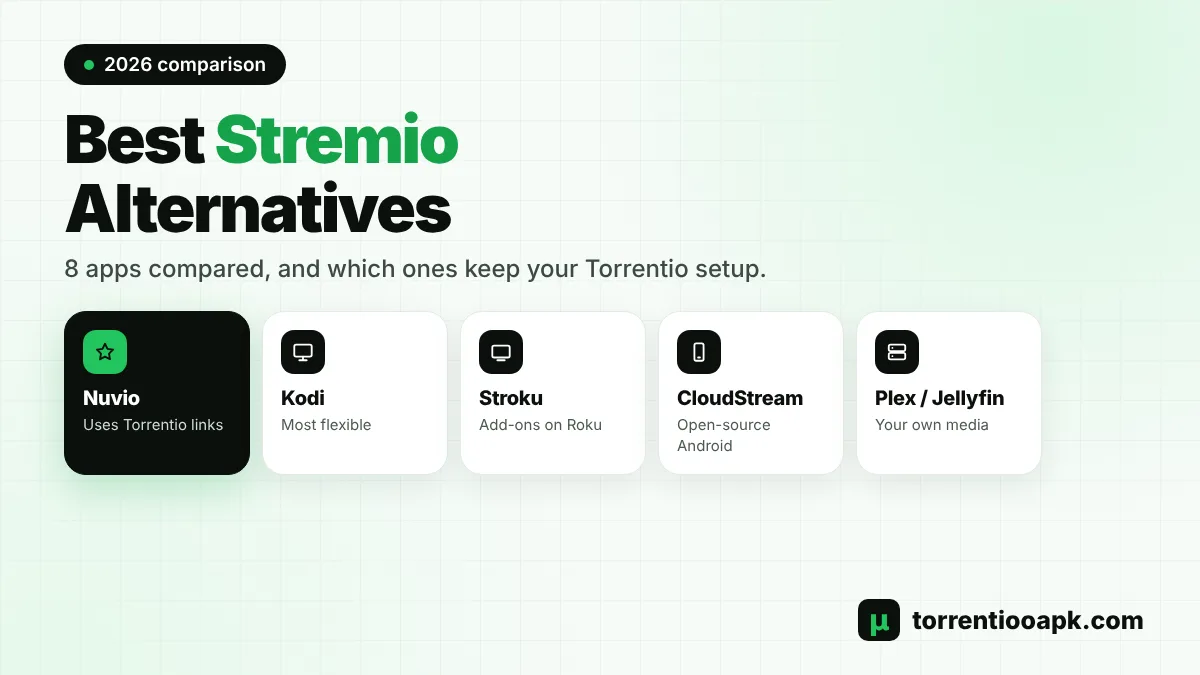
Quick answer: The closest of the Stremio alternatives is Nuvio, an open-source app that can read Stremio add-on links, so Torrentio can come with you. Kodi is the most flexible free media centre, but it doesn't run Stremio add-ons. Debrid users can look at Syncler or Weyd, Android users at CloudStream, and people with their own files at Plex or Jellyfin.
Why People Look for Stremio Alternatives
Stremio is free, simple and powerful, but a few things push users to search for Stremio alternatives:
- App store problems: TROYPOINT reported that Stremio was removed from Google Play in early January 2026 and returned after a 19-day suspension, while its Amazon Appstore and Apple App Store listings disappeared.
- Missing platforms: there's no official Stremio app for Roku or Apple TV.
- Features: some people want multiple profiles, a different home screen or deeper Trakt integration.
- Personal libraries: users with their own movie collection may prefer a media server.
If one of these applies to you, the options below are worth a look. If not, you might not need to switch at all, as we explain later.
Best Stremio Alternatives Compared
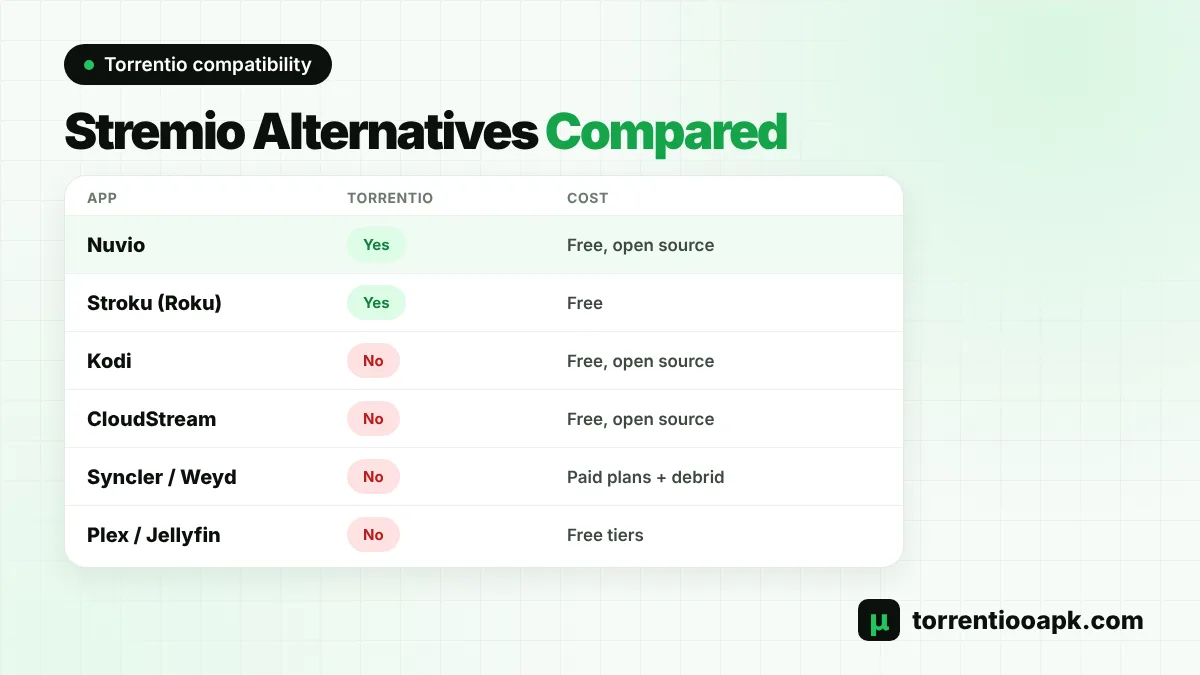
Here's a side-by-side view of the main Stremio alternatives in 2026:
| App | Platforms | Cost | Uses Stremio add-ons | Debrid |
|---|---|---|---|---|
| Nuvio | Android TV, with other builds | Free, open source | Yes, reads manifest links | Supported |
| Kodi | Windows, Mac, Linux, Android, Fire TV | Free, open source | No | Through Kodi add-ons |
| Stroku | Roku | Free | Yes | Real-Debrid recommended |
| CloudStream | Android, Android TV | Free, open source | No, own extensions | Optional |
| Syncler | Android, Fire TV | Free base, Syncler+ from $15/year | No | Required |
| Weyd | Fire OS 7, Android 8+ | weydSUB from $15/year | No | Required |
| Plex | Server plus most devices | Free tier, Plex Pass | No | Not applicable |
| Jellyfin | Server plus most devices | Free, open source | No | Not applicable |
1. Nuvio: Closest Stremio Alternative
Nuvio is the app most often named as a drop-in replacement. Its official Android TV app is open source under the GPL-3.0 licence and is available on Google Play and as an APK on GitHub. Its description sums up the idea: bring your own sources, and Nuvio turns them into a library with artwork, ratings and subtitles, saving your place across screens.
The big advantage is add-on support. TROYPOINT notes that Nuvio reads the same manifest URLs Stremio does, which means your personal Torrentio link can work in Nuvio too. Separate builds for phones, desktop and smart TVs are in development, so check the project's releases for your device. As with any client, not every add-on feature is guaranteed to behave exactly as it does in Stremio.
Pros
- Uses Stremio add-on links, including Torrentio
- Open source and free
- Modern TV interface
Cons
- Younger project, still changing fast
- Not every add-on feature behaves identically
2. Kodi: Most Flexible Free Media Centre
Kodi is the veteran of the Stremio alternatives list. It's a free, open-source media centre that runs on Windows, Mac, Linux, Android, Fire TV and even a Raspberry Pi. Its add-on system is huge and endlessly customisable.
The catch for Torrentio users is that Kodi doesn't run Stremio add-ons. A Stremio manifest isn't a Kodi add-on, so Torrentio won't work there. If you want a similar experience in Kodi, MediaFusion is one of the few stream sources that works with both Stremio and Kodi. Kodi also takes more setup and upkeep than Stremio.
Pros
- Runs on almost everything
- Massive add-on library
- Great for local media
Cons
- No Torrentio or Stremio add-ons
- Steeper learning curve
3. Stroku: Stremio Add-ons on Roku
Stroku isn't a full replacement, but it fills the biggest gap: Roku. It's a no-cost Roku channel, not linked to Stremio, that loads add-ons like Torrentio, can link to your Stremio account and includes OpenSubtitles. Roku plays direct links only, so Real-Debrid or Stroku's Android helper is needed for torrent results. Our Stremio Roku guide walks through the full setup.
4. CloudStream: Open-Source Android Option
CloudStream is a free, open-source Android app for phones and TVs, licensed under GPL-3.0. It's ad-free with no tracking, supports Chromecast, and uses an extension system. The app includes no video sources by default; you install third-party extensions, which the project doesn't moderate or endorse.
It doesn't use Stremio add-ons, so your Torrentio link won't transfer. It suits Android users who like to tinker. Be careful which extensions you install, and read the privacy notes in our is Torrentio safe guide.
5. Syncler: For Debrid Users
Syncler is an empty app that relies on provider packages and a debrid account, with Real-Debrid commonly recommended. According to TROYPOINT, the base app is free and Syncler+ costs from $15 a year for five devices up to $49 a year for twenty. It's a good fit if you already pay for debrid and want a polished, Trakt-friendly interface, but it doesn't use Stremio add-ons.
6. Weyd: Polished but Paid
Weyd has one of the nicest interfaces among Stremio alternatives, but streaming needs a paid weydSUB plan, from about $15 to $50 a year depending on devices, plus a supported debrid service such as Premiumize, TorBox or Offcloud. It runs on Fire OS 7 and Android 8 or newer, and isn't compatible with Amazon's new Vega OS sticks.
7. Plex: For Your Own Media
Plex is a media server platform. You install the server on a computer or NAS, add your own files, and stream them to apps on almost any device. There's a free ad-supported tier, and Plex Pass unlocks extras such as remote streaming of personal media. It's not a torrent or add-on app, so it's only one of the Stremio alternatives if you own your library.
8. Jellyfin: Free, Open-Source Media Server
Jellyfin is the free, open-source answer to Plex. You host your own server, and there are no paid tiers or accounts with a company. It's ideal for people who want full control of a personal collection. Like Plex, it doesn't search the web for streams, so it won't replace Torrentio.
Honourable Mention: STRMR
STRMR is a newer tracking and discovery app for Android phones, tablets and Android TV or Google TV devices running Android 11 or later. TROYPOINT describes it as free during its beta, with optional donations. It syncs with Trakt, suggests where to watch, and can connect your debrid account to browse your cloud library. It isn't a full replacement for Stremio's add-on system, but it's handy if you mainly want a smart watchlist.
Which Stremio Alternatives Work With Torrentio?
This is the key question for anyone who has spent time tuning their Torrentio settings. Torrentio was built for the Stremio add-on system, so it only works in apps that understand Stremio add-on links.
- Works: Stremio itself, Stremio Web, Nuvio and Stroku on Roku.
- Doesn't work: Kodi, CloudStream, Syncler, Weyd, Plex and Jellyfin.
- Kodi workaround: MediaFusion works with both Stremio and Kodi. See our list of Torrentio alternatives.
If keeping Torrentio matters to you, Nuvio is the only full app on this list that lets you bring it along. Learn more about the add-on in what Torrentio is and how it works.
How to Move Your Torrentio Setup to Nuvio
Because Torrentio lives in a link, switching to an app that reads Stremio manifests is quick:
Step 1: Open the Configure Page
Go to the official Torrentio configure page on your phone or computer.
Step 2: Re-enter Your Settings
Choose your providers, sorting and debrid key. Our Torrentio best settings guide helps.
Step 3: Copy the Link
Use Copy Link rather than the Install button; you'll get an address ending in
/manifest.json.Step 4: Add It in the New App
Open the app's add-on settings and paste the link. Keep it private, because it can contain your debrid key.
Our Torrentio addon link guide explains every link format in detail.
Do You Really Need to Leave Stremio?
Before you switch, consider the simpler fixes. Stremio returned to Google Play after its January 2026 suspension, so Android phones and Android TV devices can install it normally again. Stremio Web runs in any modern browser with your account and add-ons. Samsung and LG owners have official TV apps, and Roku owners can use Stroku. iPhone users have Stremio Web and a few advanced install options covered in our Torrentio iPhone guide.
For most people, the best of the Stremio alternatives is still Stremio on a different device, such as a Google TV stick. Our Torrentio Android TV guide shows how to set one up.
Stremio Alternatives for Each Device
The right choice also depends on the screen you use most:
- Android TV and Google TV: Nuvio, CloudStream, Syncler and Weyd all run here, and Stremio itself is back on Google Play.
- Fire TV: Fire OS sticks can usually sideload Android TV apps, while newer Vega OS models are limited to the Amazon Appstore. Check our Torrentio Firestick guide for the details.
- Roku: Stroku is the main option, since Stremio has no Roku app.
- Windows, Mac and Linux: Kodi, the Stremio desktop app and media servers such as Plex or Jellyfin.
- iPhone and iPad: Stremio Web in Safari, plus Plex and Jellyfin apps for personal media.
- Samsung and LG TVs: official Stremio apps exist, so you may not need an alternative. See our Stremio Samsung TV guide.
What You Lose When You Leave Stremio
Switching apps isn't free of trade-offs. Stremio's account system syncs your library, Continue Watching list and add-ons across every device, from phones to TVs and the web. Its add-on catalog is also one of the largest in the streaming world, with stream, catalog and subtitle add-ons maintained by the community.
Many Stremio alternatives start from an empty screen: you rebuild your sources, your watchlist and your settings. Some don't sync between devices at all. That's why it pays to list what you actually need before moving, and to test one of the Stremio alternatives on a spare device first.
Stremio vs Nuvio: Quick Comparison
Since Nuvio is the most direct rival, here's how the two compare for a Torrentio user:
| Feature | Stremio | Nuvio |
|---|---|---|
| Stremio add-on links | Yes | Yes, per TROYPOINT |
| Open source | Many parts on GitHub | Yes, GPL-3.0 |
| Main platforms | Desktop, Android, TV apps, web | Android TV, other builds in progress |
| Account sync | Built in | Check current features |
| Maturity | Long-established and widely used | Newer, fast-moving project |
If Stremio already works on your devices, Nuvio is worth testing as a backup rather than an immediate replacement. Install it on a spare stick, paste your Torrentio link and compare the two for a week before deciding.
Stremio Alternatives With Debrid Support
If you pay for Real-Debrid, TorBox or another service, you'll want an app that uses it. Nuvio can use debrid through add-ons such as Torrentio, Stroku works best with Real-Debrid, and Syncler and Weyd are built entirely around debrid accounts. Kodi supports debrid through its own add-ons, while Plex and Jellyfin don't use debrid at all. Not sure which service to pick? Our best debrid for Stremio comparison can help before you choose between Stremio alternatives.
How to Choose Between Stremio Alternatives
Match the app to your situation:
| Your situation | Best choice |
|---|---|
| Want to keep Torrentio on Android TV | Nuvio |
| Own a Roku | Stroku |
| Want the most customisation | Kodi |
| Already pay for debrid and want polish | Syncler or Weyd |
| Android tinkerer | CloudStream |
| Have your own movie collection | Plex or Jellyfin |
Avoid Fake Stremio Apps
When Stremio disappeared from app stores, many "Stremio Pro", "Premium" or modded APKs appeared. These aren't official and can contain ads or unwanted code. Stick to official sources: the Stremio website and app stores for Stremio, the project's own GitHub or store page for open-source Stremio alternatives, and the official configure page for Torrentio. If a site asks for payment to unlock Stremio or Torrentio, it isn't the real thing.
Are Stremio Alternatives Legal?
The apps themselves are legal software. Kodi, Plex, Jellyfin, Nuvio and CloudStream are media players or servers. What matters is the content you play. Many torrent and third-party sources link to copyrighted material, and laws differ by country, so only watch content you have the right to access. A debrid service keeps you out of peer-to-peer swarms; compare options in our best debrid for Stremio guide.
Stremio Alternatives Checklist
- Decide whether you need to keep Torrentio and other Stremio add-ons.
- Check that the app supports your main device.
- Confirm whether a debrid service or paid plan is required.
- Download only from the official website, store or GitHub page.
- Test on a spare device before you remove Stremio.
Final Verdict on Stremio Alternatives
The best Stremio alternatives depend on what you want to keep. Nuvio is the closest replacement and the only full app here that can reuse your Torrentio link. Stroku solves the Roku gap. Kodi offers unmatched flexibility without Stremio add-ons, Syncler and Weyd suit debrid users who don't mind paying, CloudStream suits Android tinkerers, and Plex or Jellyfin are perfect for your own files.
If you simply want Torrentio on a new screen, Stremio on another device is often the easiest answer. Our step-by-step Torrentio install guide covers every device, and the Torrentio APK home page has the full overview.
FAQs
What is the best Stremio alternative?
Nuvio is the closest Stremio alternative because it can read Stremio add-on links, so add-ons like Torrentio can work in it. Kodi is the most flexible free option, but it doesn't run Stremio add-ons.
Does Torrentio work on Kodi?
No. Torrentio is a Stremio add-on, and Kodi uses its own add-on system. MediaFusion is one stream source that works with both Stremio and Kodi.
Is Stremio shutting down?
No. Stremio was briefly removed from Google Play in January 2026 and returned after a 19-day suspension. Some app store listings changed, but Stremio and Stremio Web are still available.
Can I use my Torrentio link in another app?
Yes, in apps that read Stremio manifest links, such as Nuvio and Stroku on Roku. Copy your link from the Torrentio configure page and paste it into the app's add-on settings.
Is there a free Stremio alternative?
Yes. Nuvio, Kodi, CloudStream and Jellyfin are free and open source, and Stroku is free on Roku. Syncler+ and Weyd's streaming plans are paid.
Are Stremio alternatives safe?
Official versions from the project's website, GitHub or app store are safe to install. Avoid modded "Pro" or "Premium" APKs from random sites, which can contain ads or unwanted code.