
Table of Contents
- Is There a Stremio Roku App?
- Stremio Roku Options Compared
- What You Need Before You Start
- Option 1: Stroku, the Best Stremio Roku Workaround
- How to Set Up Stroku With Torrentio
- Older Guides: Stroku Receiver and Sender
- Using Stroku Remote Shortcuts
- Which Debrid Services Work With Stroku?
- Option 2: Screen Mirroring From Android or Windows
- Option 3: AirPlay From iPhone, iPad or Mac
- Option 4: Add a Cheap Streaming Stick
- Which Roku Devices Work With These Methods?
- Will Stremio Ever Come to Roku?
- Does Torrentio Work on Roku Without Debrid?
- Is Stroku Safe and Legal?
- Stremio Roku Problems and Fixes
- Roku vs Fire TV vs Google TV for Stremio
- Tips for the Best Stremio Roku Experience
- Conclusion
- FAQs
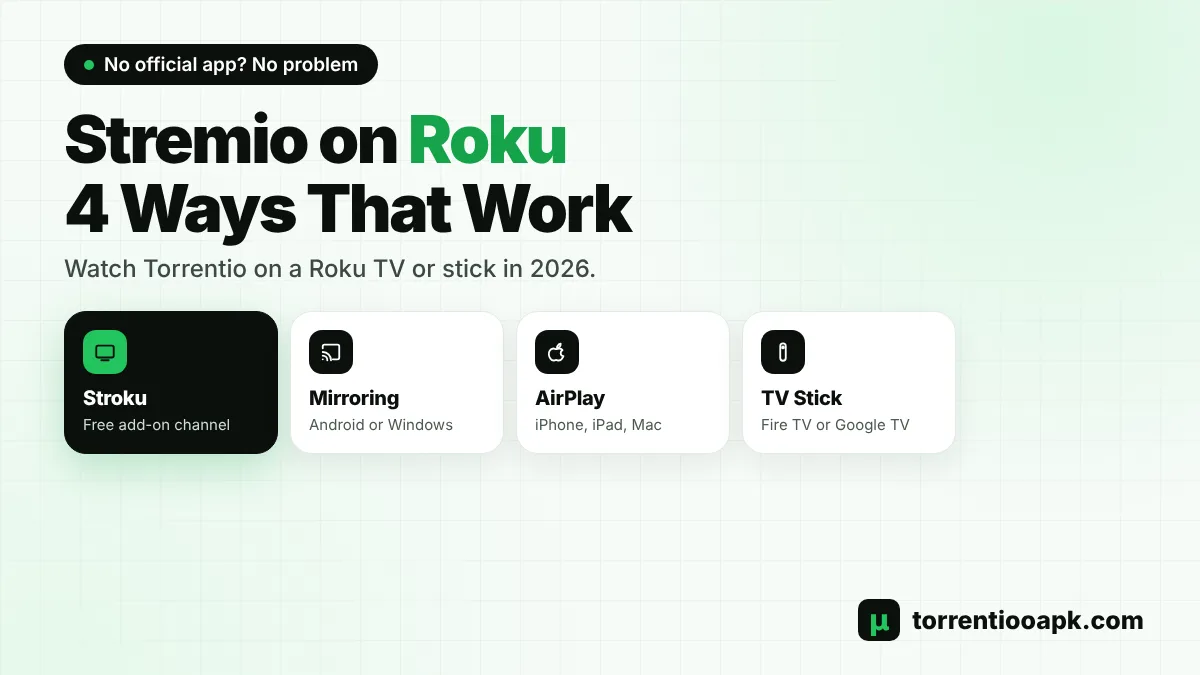
Searching for a Stremio Roku app so you can watch Torrentio on your Roku TV or streaming stick? Here's the honest answer: there's no official Stremio app for Roku, and you can't sideload one. But that doesn't mean you're stuck. In 2026 there are several working ways to get Stremio content, including Torrentio streams, onto a Roku screen.
This guide explains why Stremio isn't on Roku, then walks through every Stremio Roku workaround: the free third-party Stroku channel, screen mirroring from Android or Windows, AirPlay from Apple devices, and the cheapest hardware alternative. You'll see what each method needs, how well it works with Torrentio, and which one we recommend.
Quick answer: Stremio has no Roku app. The best Stremio Roku option today is Stroku, a free, independent Roku channel that runs Stremio add-ons such as Torrentio. It plays direct links, so you'll need Real-Debrid or its free Android helper for torrent results. For the full Stremio experience, a low-cost Fire TV or Google TV stick is still the better choice.
Is There a Stremio Roku App?
No. Stremio offers apps for Windows, Mac, Linux, Android, Android TV, Samsung and LG TVs and the web, but not for Roku. Viren070's widely used Stremio FAQ answers the question directly: Stremio isn't available on Apple TV or Roku. In Stremio's public feature tracker, users who asked about a Stremio Roku app were told that no Roku version exists.
The reason is technical. Roku devices and Roku TVs run Roku OS, a closed Linux-based system. They don't run Android, so Android APK files can't be installed, and Roku's developer mode is meant for testing channels, not installing apps from other platforms. Unless Stremio builds a dedicated Roku channel, there will be no official Stremio Roku app.
New to Stremio and Torrentio? Start with what Torrentio is and how it works.
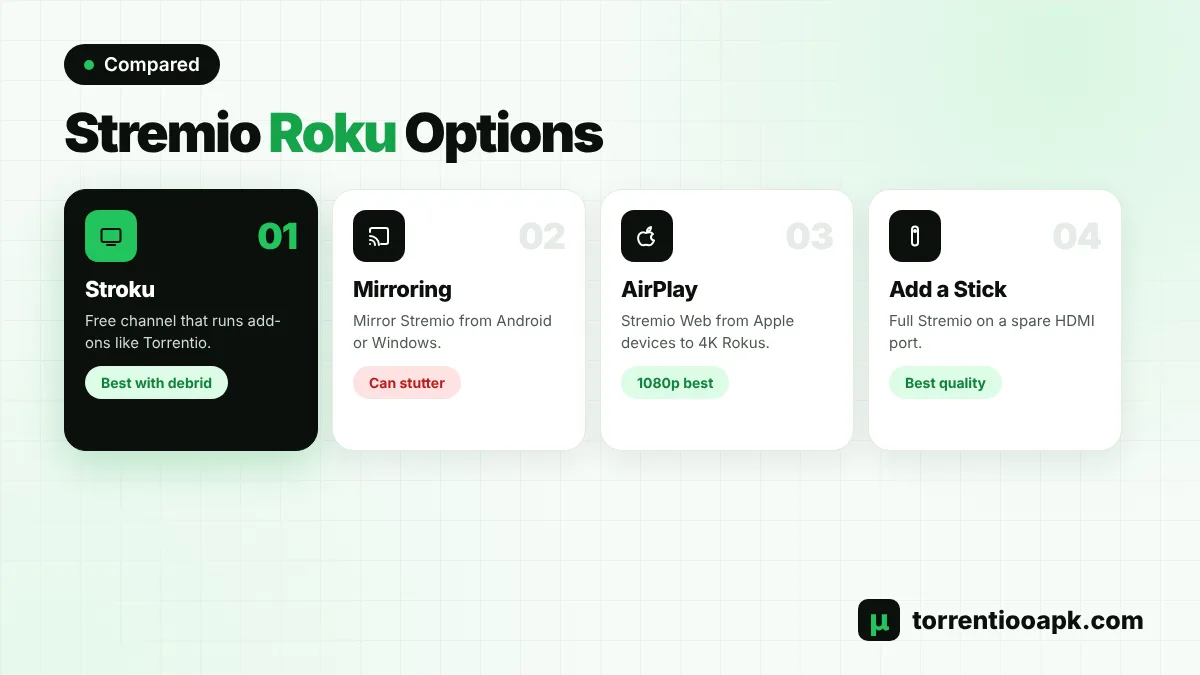
Stremio Roku Options Compared
Here's a quick overview of every method that works in 2026:
| Method | Extra cost | Works with Torrentio | Quality | Difficulty |
|---|---|---|---|---|
| Stroku channel | Free (debrid recommended) | Yes, best with Real-Debrid | Good | Easy |
| Screen mirroring (Android/Windows) | None | Yes | Fair, can stutter | Easy |
| AirPlay (iPhone/Mac) | None | Through Stremio Web | Fair | Easy |
| Fire TV or Google TV stick | Cost of the stick | Yes, full features | Best | Easy |
What You Need Before You Start
- A Roku TV or Roku streaming player connected to Wi-Fi.
- A free Stremio account, so your library and add-ons can sync.
- A phone or computer to open the Torrentio configure page.
- A debrid account if you want direct playback through Stroku.
- For mirroring, an Android phone, Windows PC, iPhone or Mac on the same network.
Option 1: Stroku, the Best Stremio Roku Workaround
Stroku is a free Roku channel that runs Stremio add-ons. It's independent and, as its website says, not affiliated with Roku, Stremio or Real-Debrid. It brings your add-on catalogs, streams and subtitles to the Roku with an interface built for the remote, and it can link to your Stremio account so your library and watch history follow you.
The key limitation is that a Roku can only play direct video links. Many add-ons, Torrentio included, return torrents. Stroku gives you two ways around that:
- Real-Debrid (recommended): with your debrid key in Torrentio, cached results become direct links that the Roku can play.
- Stroku Server for Android: a free app that lets your Android phone fetch the torrent and stream it to the Roku over Wi-Fi. The phone must stay on and on the same network.
Stroku also includes OpenSubtitles by default, with controls for subtitle delay, style and size. The channel and its Android server are free, and the developer accepts optional donations.
How to Set Up Stroku With Torrentio
This is the most popular Stremio Roku setup. You'll need a Roku device, a phone or computer, and ideally a Real-Debrid account.
Step 1: Add the Channel
On your Roku, open the Streaming Store, search for Stroku and add it.
Step 2: Link Stremio (Optional)
In Stroku, open Settings › General › Stremio account. Scan or open the link on your phone, sign in and approve the code to sync your library.
Step 3: Build Your Torrentio Link
On your phone, open the Torrentio configure page, choose RealDebrid as the debrid provider and paste your API key.
Step 4: Copy the Manifest URL
Tap Copy Link instead of Install. The link ends with
/manifest.json.Step 5: Send It to Stroku
Stroku shows a phone setup address on your Roku. Open it on a phone on the same Wi-Fi, paste the link and send it. You can also type it under Addons › Add addon.
Step 6: Play a Title
Pick a movie or episode. Direct, cached results such as [RD+] are listed first.
Your personal Torrentio link contains your debrid key, so don't share it. For the Real-Debrid side, follow our Torrentio Real Debrid guide. If you're choosing a service, see our comparison of the best debrid for Stremio.
Older Guides: Stroku Receiver and Sender
If you've read older Stremio Roku tutorials, you may have seen a different setup. In late 2025, TROYPOINT described Stroku as a "Stroku Receiver" channel on the Roku paired with a "Stroku Sender" app on Android. You played a title in Stremio on the phone, chose to play it in an external player, picked Stroku Sender and sent it to the Roku.
Stroku's current website describes a fuller channel that runs add-ons directly, links to your Stremio account and plays streams with the Roku remote. If a guide you're following doesn't match what you see, follow the instructions on Stroku's own setup page, because the app has changed quickly.
Using Stroku Remote Shortcuts
Stroku is built around the Roku remote, and a few shortcuts make it much faster:
- * on a poster: add or remove the title from your library.
- Back on a row of posters: jump to Continue Watching for that title.
- Left and right in an episode list: change season.
- Left and right in the player: seek when the controls are hidden, then press OK.
In the subtitles menu, Delay, Style and Size sit at the top, and you can adjust them with left and right while the video plays. That's handy when Stremio Roku subtitles start a little early or late.
Which Debrid Services Work With Stroku?
Stroku's own setup guide is written around Real-Debrid, and it says results that use it are usually marked by the add-on, for example with [RD+]. Its FAQ doesn't cover TorBox, AllDebrid or other services. Because Torrentio does the debrid work before Stroku sees the link, other services that Torrentio supports may also produce direct links, but Real-Debrid is the one Stroku documents. If you're starting a Stremio Roku setup from scratch, Real-Debrid is the safest match. Compare prices and rules in our best debrid for Stremio guide before you buy.
Option 2: Screen Mirroring From Android or Windows
Roku supports screen mirroring from Android phones and Windows PCs. Mirroring shows your device's screen on the TV, so you can play Torrentio in Stremio on your phone or laptop and watch it on the Roku. It's the quickest Stremio Roku method because it needs no extra apps.
According to Roku's support page, mirroring is enabled by default. You can change how requests are handled under Settings › System › Screen mirroring › Screen mirroring mode, with options for Prompt, Always allow and Never allow.
- Android: open your phone's casting option, often called Smart View or Screen cast, and select your Roku. Roku notes that Google-branded phones such as Pixel models don't support Roku mirroring.
- Windows: open Settings › System › Display › Connect to a wireless display and choose the Roku.
The downside is quality. Mirroring re-encodes your screen, so fast scenes can stutter and the phone must stay awake. It's fine for occasional use, but not ideal for a movie night.
Option 3: AirPlay From iPhone, iPad or Mac
Apple devices can't use Roku's Android-style mirroring. Instead, Roku supports Apple AirPlay on compatible 4K models. You can open Stremio Web in Safari on your iPhone or Mac and mirror the screen to the Roku with AirPlay.
This works, but you inherit the limits of Stremio Web: browsers play fewer video formats, so choose 1080p streams with common audio. Our Torrentio iPhone guide explains the best Stremio Web settings for Apple devices.
Option 4: Add a Cheap Streaming Stick
If you watch Stremio often, the simplest long-term fix isn't a Stremio Roku workaround at all. Plug an Amazon Fire TV Stick or a Google TV device into another HDMI port on your Roku TV. These run full Stremio apps with Torrentio, 4K, debrid and every add-on, and they cost less than many monthly subscriptions.
Your Roku TV keeps working as normal for its other channels. Just switch inputs when you want Stremio. Follow our Torrentio Firestick guide or Torrentio Android TV guide to set one up.
Which Roku Devices Work With These Methods?
Most Stremio Roku workarounds don't need the newest hardware, but each method has its own requirements:
| Method | Roku devices | Your other device |
|---|---|---|
| Stroku | Any current Roku TV or player, per Stroku's FAQ | Phone for setup; Android phone for torrents without debrid |
| Screen mirroring | Most Roku TVs and players | Android phone (not Pixel) or Windows PC |
| AirPlay | Compatible 4K Roku models | iPhone, iPad or Mac |
Stroku's interface is designed for 1080p and 720p screens, so it works on older Roku TVs too. Check your model under Settings › System › About if you're unsure which features it supports.
Will Stremio Ever Come to Roku?
Nobody can say for sure. Stremio has expanded to new platforms in recent years, adding apps for Samsung TVs in 2023 and LG TVs in 2024, but it hasn't announced a Stremio Roku app. Building for Roku OS would mean writing a separate channel from scratch, because none of Stremio's existing code runs on it. Keep an eye on the official Stremio downloads page. Until then, the workarounds above are your best options.
Does Torrentio Work on Roku Without Debrid?
Not directly. Torrentio's free results are torrents, and a Roku can't play torrents by itself. Without debrid, your Stremio Roku choices are:
- Use Stroku with its free Android server, which streams the torrent from your phone to the Roku.
- Mirror Stremio from an Android phone or Windows PC, which handles the torrent itself.
- Use a Fire TV or Google TV stick, which plays free peer-to-peer Torrentio streams natively.
With a debrid service, cached Torrentio streams become direct links that Stroku plays straight on the Roku. That's why debrid is the most reliable path for a Stremio Roku setup.
Is Stroku Safe and Legal?
Stroku is a third-party channel listed in the Roku store. Its FAQ says your data is kept on your Roku, and it includes no stream add-ons by default: you choose and install every source yourself. Like Stremio, it's a player, not a content provider.
The usual precautions apply. Keep your Torrentio link and debrid key private, install add-ons only from official pages, and remember that laws on streaming copyrighted content differ by country. Read our is Torrentio safe guide for the privacy and legal details.
Stremio Roku Problems and Fixes
No Playable Streams in Stroku
Stroku's FAQ explains that this happens when your add-ons return only torrents. Add your Real-Debrid key to Torrentio and reinstall the new link, or use Stroku Server on an Android phone.
Mirroring Won't Connect
Make sure the phone or PC and the Roku are on the same Wi-Fi, check that Screen mirroring mode isn't set to Never allow, and restart both devices. Pixel phones aren't supported for Roku mirroring.
Video Stutters While Mirroring
Move closer to the router, close other apps on the phone, and choose a smaller 1080p or 720p stream. Our Torrentio best settings guide shows how to set a size limit.
Torrentio Shows Nothing at All
If no device shows Torrentio results, the add-on server may be busy. Check our Torrentio down guide.
Roku vs Fire TV vs Google TV for Stremio
If you're deciding what to buy, this comparison sums up the Stremio Roku question:
| Feature | Roku | Fire TV Stick | Google TV |
|---|---|---|---|
| Official Stremio app | No | Yes | Yes |
| Torrentio without debrid | Only with helpers | Yes | Yes |
| Sideloading APKs | No | Yes, on most models | Yes |
| 4K with debrid | Limited by workaround | Yes | Yes |
| Best for | Mainstream channels | Budget Stremio setup | Most flexible setup |
A Roku is great for mainstream streaming apps, but for Stremio and Torrentio, a Fire TV or Google TV device gives a smoother, fuller experience.
Tips for the Best Stremio Roku Experience
- Use Stroku with a debrid service for direct, cached playback.
- Send long add-on links from your phone instead of typing on the remote.
- Keep your Roku on a strong Wi-Fi signal or Ethernet.
- Choose 1080p streams for mirroring and AirPlay.
- Use Stroku's subtitle delay control if subtitles are early or late.
- Consider a cheap stick if you watch Stremio every day.
Subtitles giving you trouble on any device? Our Stremio subtitles guide explains how to add, sync and fix them.
Conclusion
There's no official Stremio Roku app, and Roku can't run Android apps. The best Stremio Roku workaround in 2026 is Stroku, a free third-party channel that runs add-ons like Torrentio, ideally with Real-Debrid for direct links. Screen mirroring and AirPlay work for occasional viewing, while a Fire TV or Google TV stick plugged into your Roku TV gives the complete Stremio experience for little money.
Whichever route you choose, set up Torrentio on your phone first, then bring it to the big screen. For more help, see our guide on how to install Torrentio on Stremio or return to the Torrentio APK home page.
FAQs
Is Stremio available on Roku?
No. Stremio has no official Roku app, and Roku devices can't install Android APK files. You can use workarounds such as the third-party Stroku channel, screen mirroring or AirPlay.
What is Stroku?
Stroku is a free, independent Roku channel that runs Stremio add-ons such as Torrentio. It isn't affiliated with Stremio or Roku, and it plays direct links, so Real-Debrid or its Android helper is needed for torrents.
Can I use Torrentio on Roku without Real-Debrid?
Not directly, because Roku can't play torrents. You can use Stroku's free Android server, mirror Stremio from an Android phone or Windows PC, or use a Fire TV or Google TV stick.
Can I sideload Stremio on a Roku TV?
No. Roku TVs run Roku OS, not Android, and developer mode is only for testing Roku channels. Android apps can't be installed.
How do I mirror Stremio to my Roku?
Play Stremio on an Android phone or Windows PC, then use Smart View or Connect to a wireless display to mirror to the Roku. Apple devices can use AirPlay on compatible 4K Roku models.
What is the best device for Stremio instead of Roku?
A Fire TV Stick or a Google TV device. Both run the full Stremio app with Torrentio, debrid and 4K, and can plug into a spare HDMI port on your Roku TV.